Who is this for? For sellers using Amazon Seller Central who need guidance on generating a Recommended Removal Report. This report provides valuable information about inventory that may be subject to Long-Term Storage Fees (LTSF) at the time of the next Inventory Cleanup.
Objective: To provide clear instructions on how to generate a Recommended Removal Report on Amazon Seller Central. It aims to guide users in entering the necessary information, such as Merchant SKU or ASIN, to generate a specific report. Additionally, it will provide instructions on how to download the report in either CSV or TXT format and monitor the report status for a successful download.
To create a Recommended Removal Report, follow these steps:
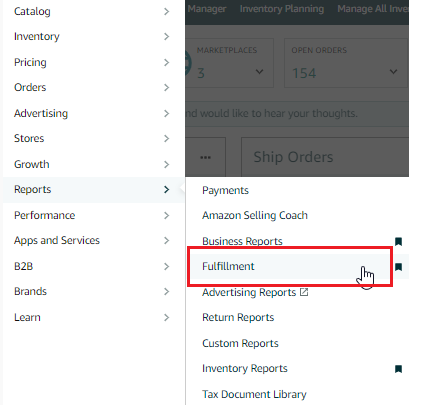
- Go to the "Reports" tab on the top menu of Seller Central and select "Fulfillment" from the drop-down menu.
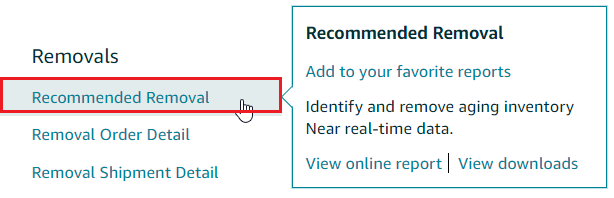
- Under the "Removals" header on the left side of the page, click on the "Recommended Removal" link.
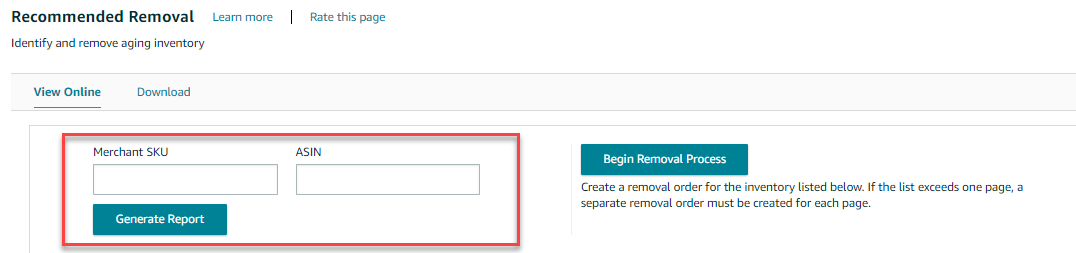
- On the following page, enter your Merchant SKU or ASIN to generate a more specific report.
 To download a Txt or a CSV copy of the report, follow the instructions below:
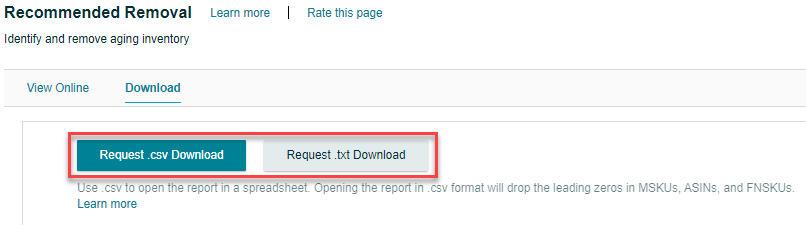
1. On the same page, click "Download".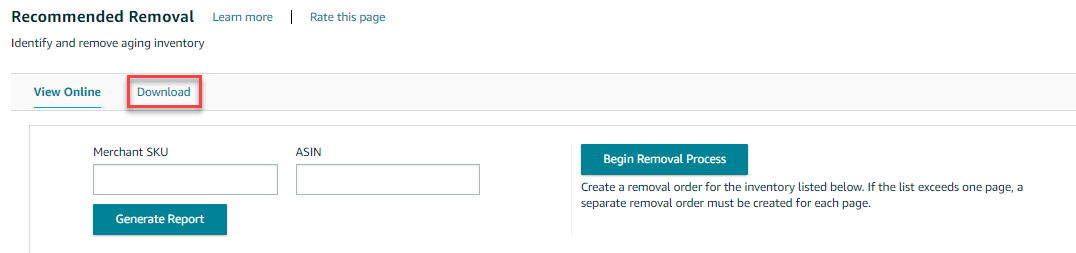 2. Click the "Request .csv Download" button to download the report in Excel format, or click the "Request .txt Download" button to download it in text format.
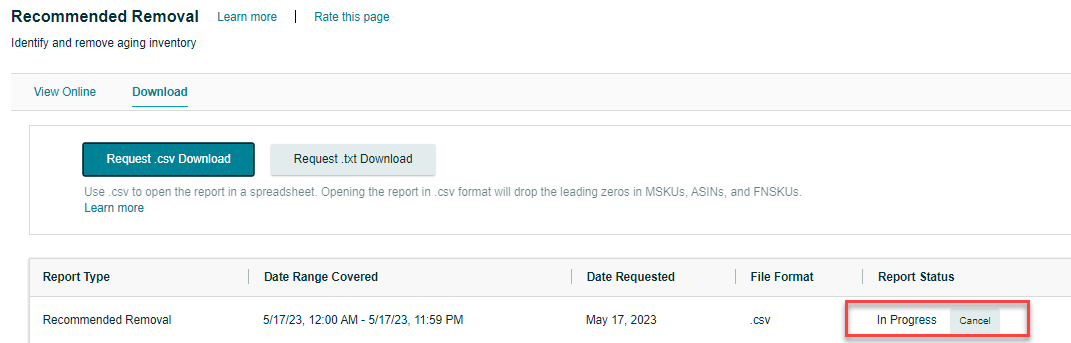
 3. The "Report Status" column in the table below will show the status as "In Progress".
 4. Once the report is ready for download, the status will change to "Download". Click the "Download" button in the "Report Status" column to download your report.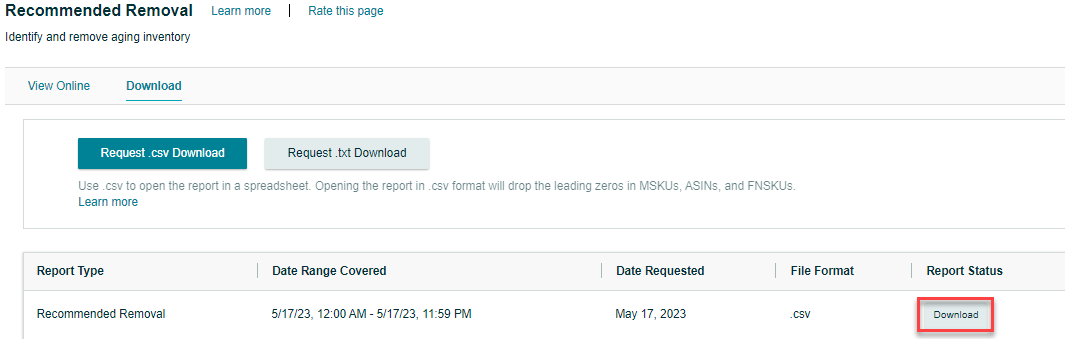
 To download a Txt or a CSV copy of the report, follow the instructions below:
 2. Click the "Request .csv Download" button to download the report in Excel format, or click the "Request .txt Download" button to download it in text format.
 3. The "Report Status" column in the table below will show the status as "In Progress".
 4. Once the report is ready for download, the status will change to "Download". Click the "Download" button in the "Report Status" column to download your report.
