Who is this for? This is for all individuals and sellers who want to know how to manage and take action for their Inactive Inventory.
Who is this for? This is for all individuals and sellers who want to know how to manage and take action for their Inactive Inventory.
Objective: This Standard Operating Procedure (SOP) will help you understand and fix your Inactive Inventory in your Seller Central Account.
To manage your inactive inventory, which can be caused by various factors like stock shortages or pricing issues, follow these steps:
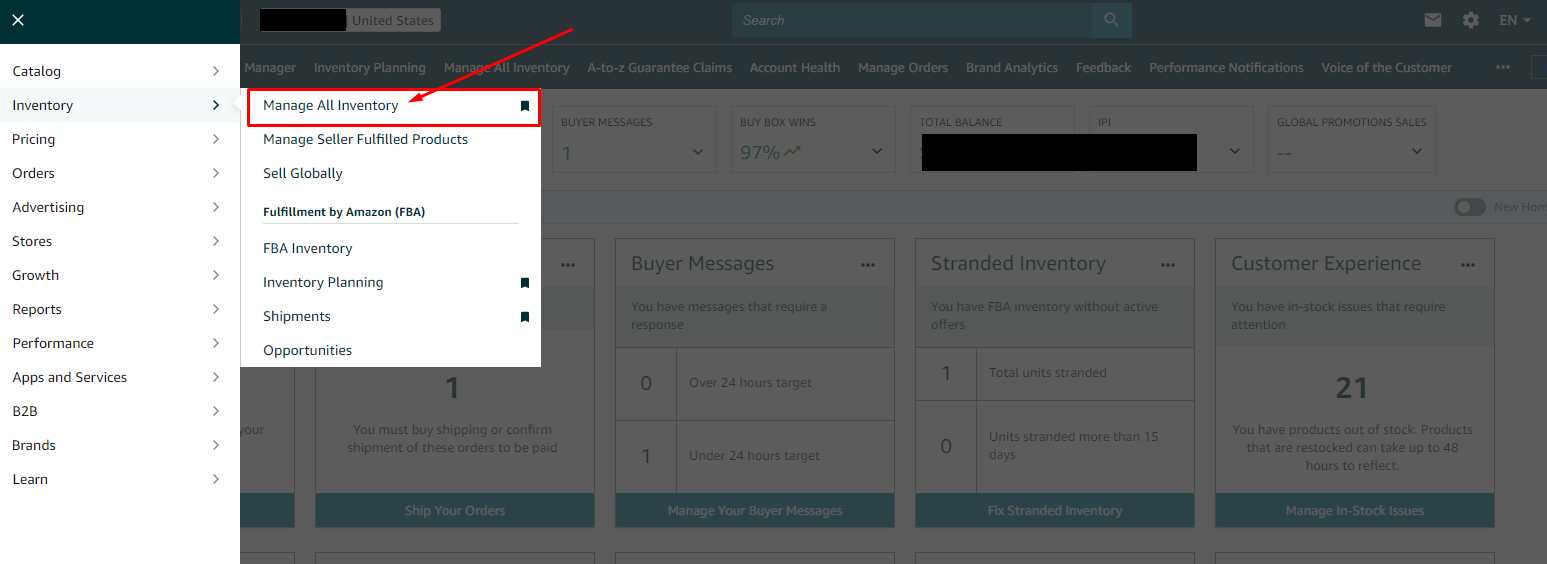
- Go to the "Manage Inventory" page in Seller Central by selecting it from the drop-down menu under the "Inventory" tab.
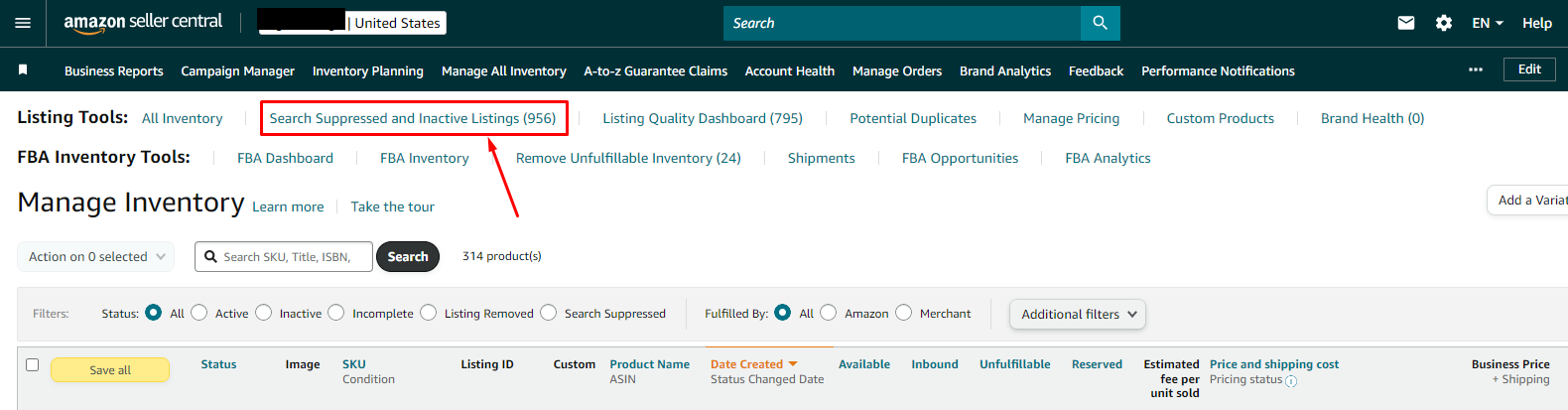
- Click on the "Search Suppressed and Inactive Listings" link at the top of the next page.
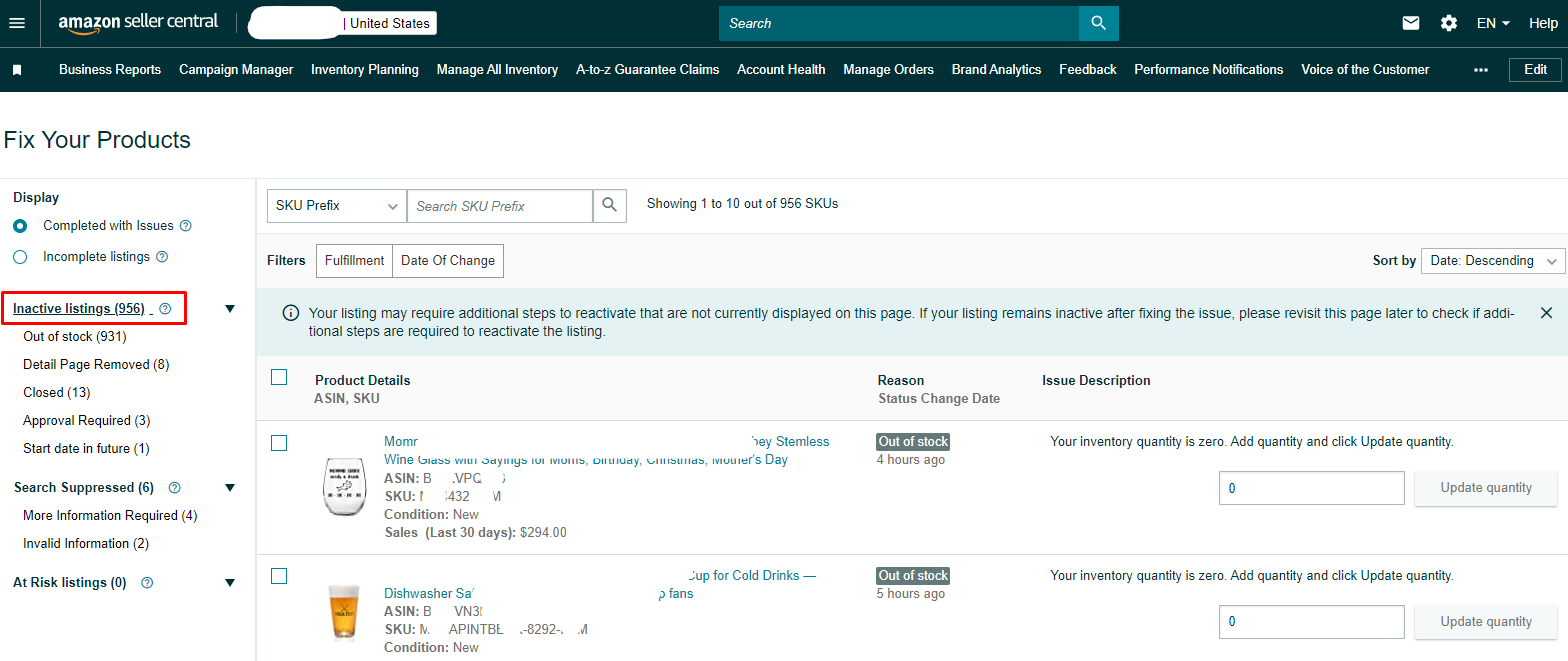
- You'll see a table with all your inactive SKUs and their respective reasons.
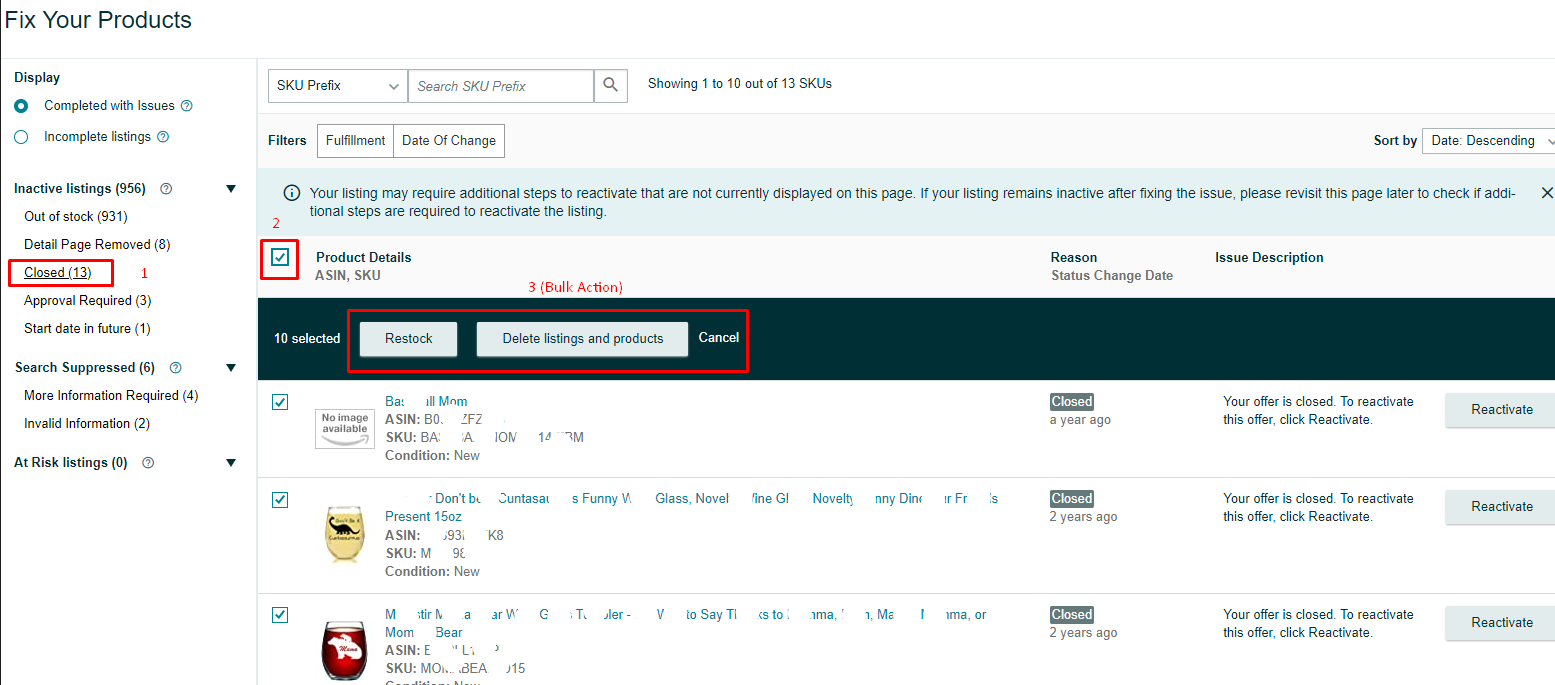
- Choose the options on the left to group items with the same reason and take bulk actions by clicking the "Action" button at the top left of the table.
- Filter by fulfillment type to Fulfilled By Amazon or Merchant Fulfilled. Each line item displays the inactive reason, issue description, and fix issues.
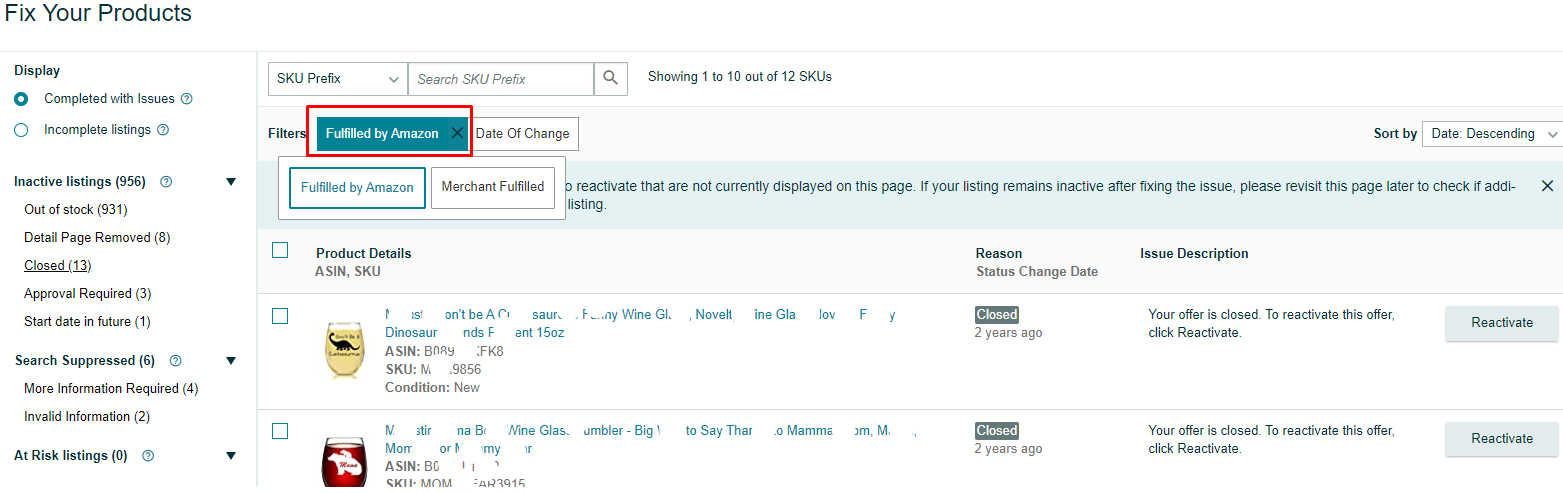
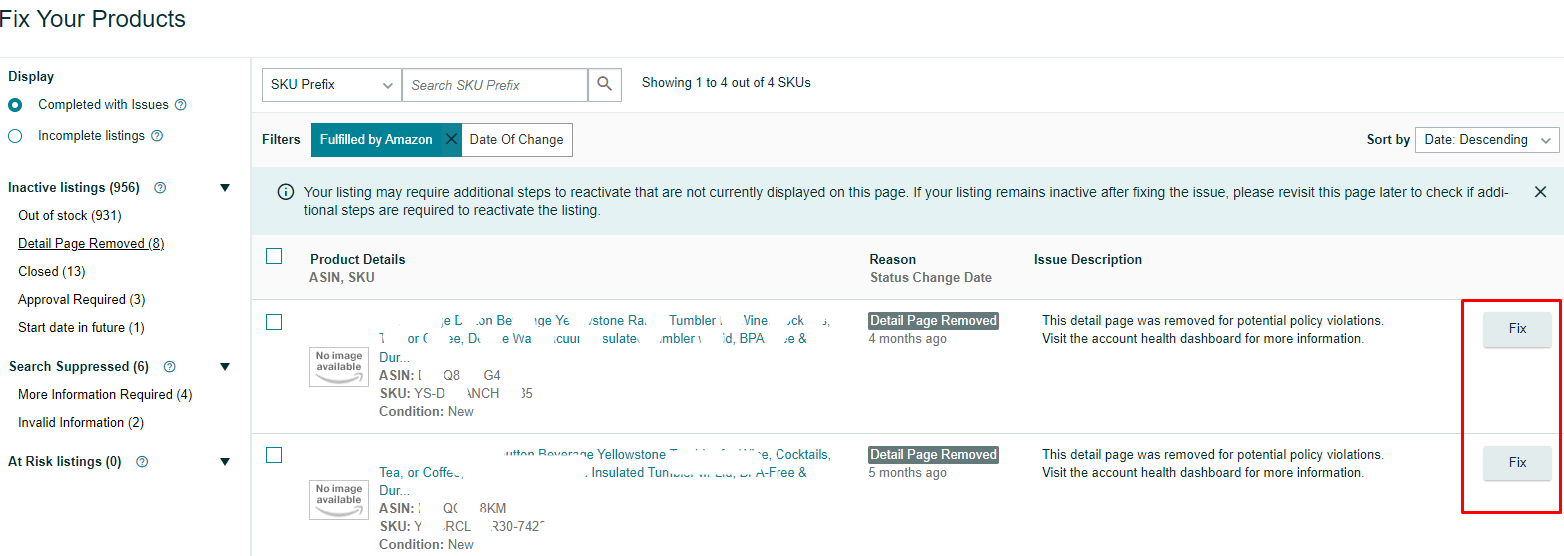
- To reactivate an inactive item, click on the "Fix Issue" button to the right of each line and make the necessary amendments.
- Some reasons for the inactive stock include being out of stock, having a future start date, pricing issues, being paused or blocked, no longer selling the item, requiring approval, or being blocked unless FBA.
8. Click on the "Fix Issue" button to learn how to resolve the issue and reactivate the SKU.
