The Category Listings Report is an Inventory Report that can back up your Amazon data. It contains copy, keywords, parentage setup, and all other listing information—this aids in spotting inaccurate information, hijackers, and if Amazon modifies data. We may constantly refer to this report in case of a data loss.
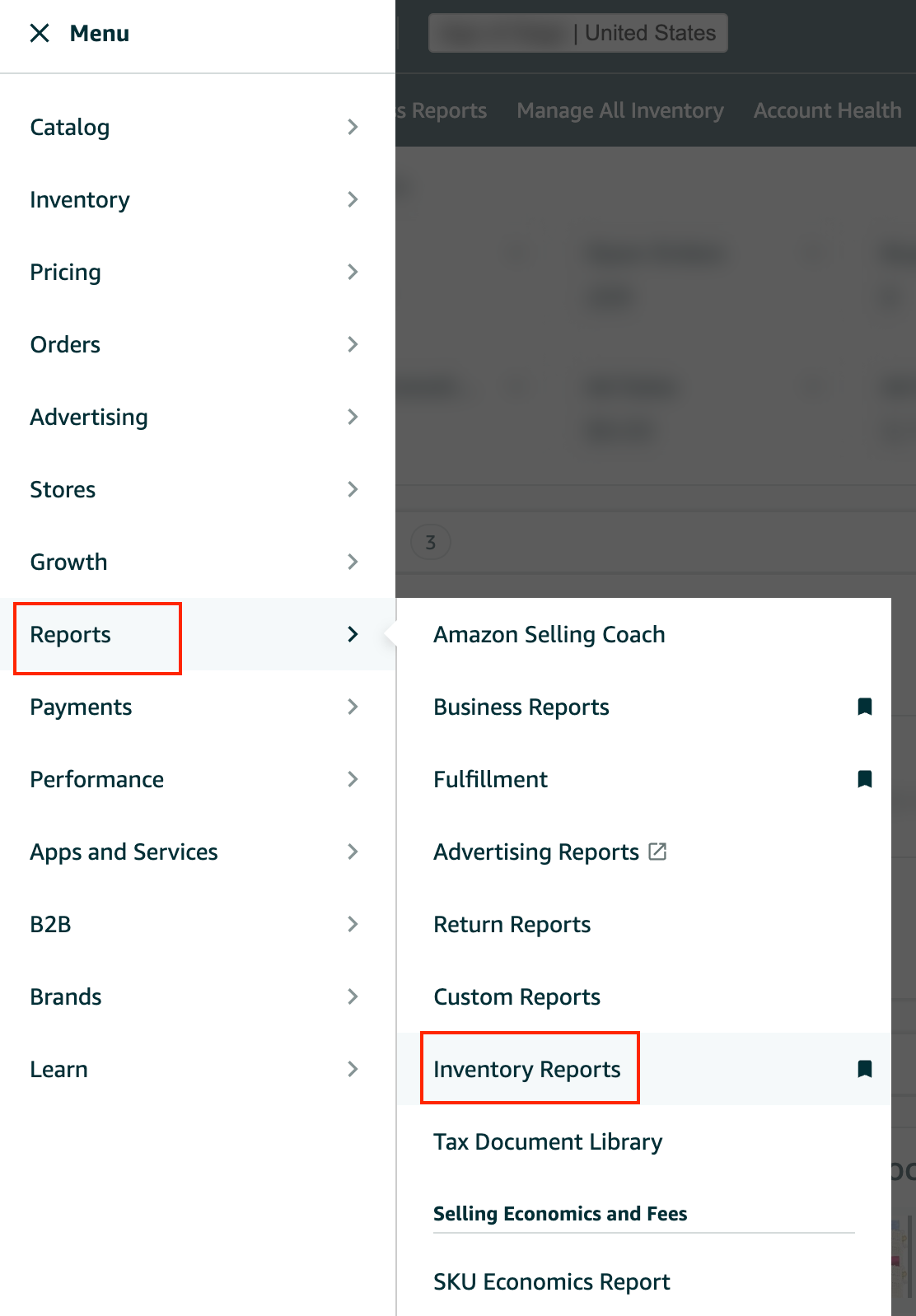
Log in to Seller Central. Hover your mouse over the Menu and go to “Reports” then choose “Inventory Reports”.
Select "Category Listings Report" as the report type, and click "Request Report."


Reload the page to see if a new report is available. Download the file and rename it to include the account name.

If the report is unavailable in the "Inventory Reports" dropdown menu, submit a ticket to activate it.
How to file a ticket to activate the Category Listings Report under the "Inventory Reports"?
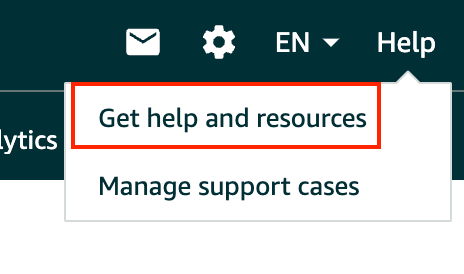
Click "Help" on the upper right-hand side of Seller Central and choose “Get help and Resources”.
Scroll down and click on “My Issue is Not Listed” then put in the request on the Dialogue box.

Select "Inventory file upload issue”.

Replace the email address with your own, and submit the case.

Take note of the case ID, and follow up as needed.
Go back to the Inventory Reports Page and download it once enabled.
