Who is this for? Individuals who wished to conduct A/B split testing within seller central.
Objective: The purpose of this document is to provide a step-by-step guide on how to create A/B split testing to submit alternate content for your products to collect insights such as traffic and conversion.
Split testing or AB testing, on Amazon, is an excellent way of optimizing your listings through experiments with product content, images, and pricing. Four crucial elements of the listing affect conversion rate: Image, Title, Product Features, Description, and Price.
Split testing or AB testing, on Amazon, is an excellent way of optimizing your listings through experiments with product content, images, and pricing. Four crucial elements of the listing affect conversion rate: Image, Title, Product Features, Description, and Price.
Seller Central A/B Testing
Access the Amazon Seller Central page by clicking the URL: https://sellercentral.amazon.com/
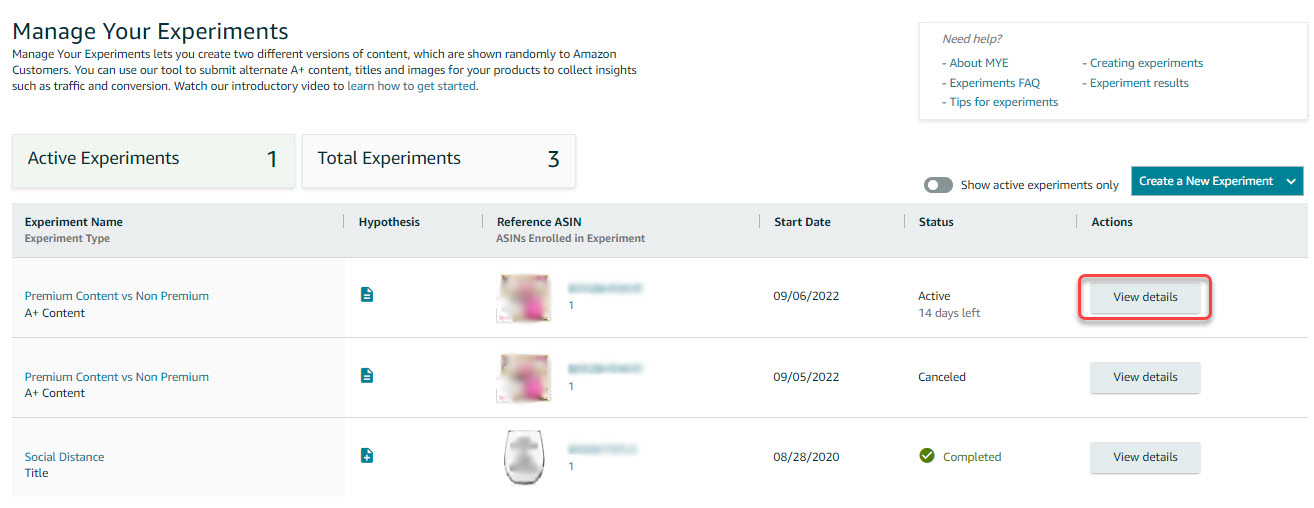
- Go to Brands, then select Manage Experiments.

- On the experiments dashboard, click Create a New Experiment.
- You can run an experiment for A+ Content, Bullet Points, Main Image, Product Description, and Product Title.

A+ Content A/B Testing
- Click Select a reference ASIN
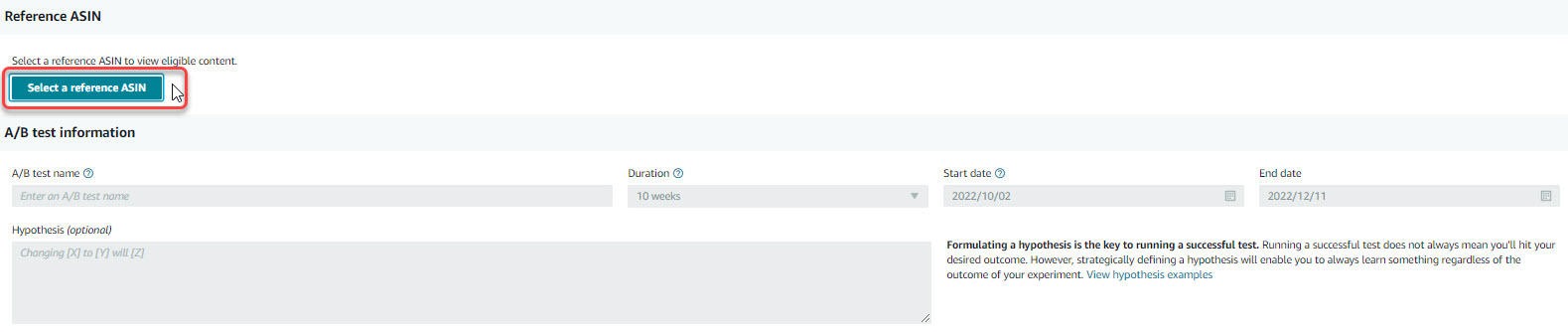
- Enter a descriptive test name, duration, and desired start date. You may also enter an optional hypothesis around what you wish to learn from the test.

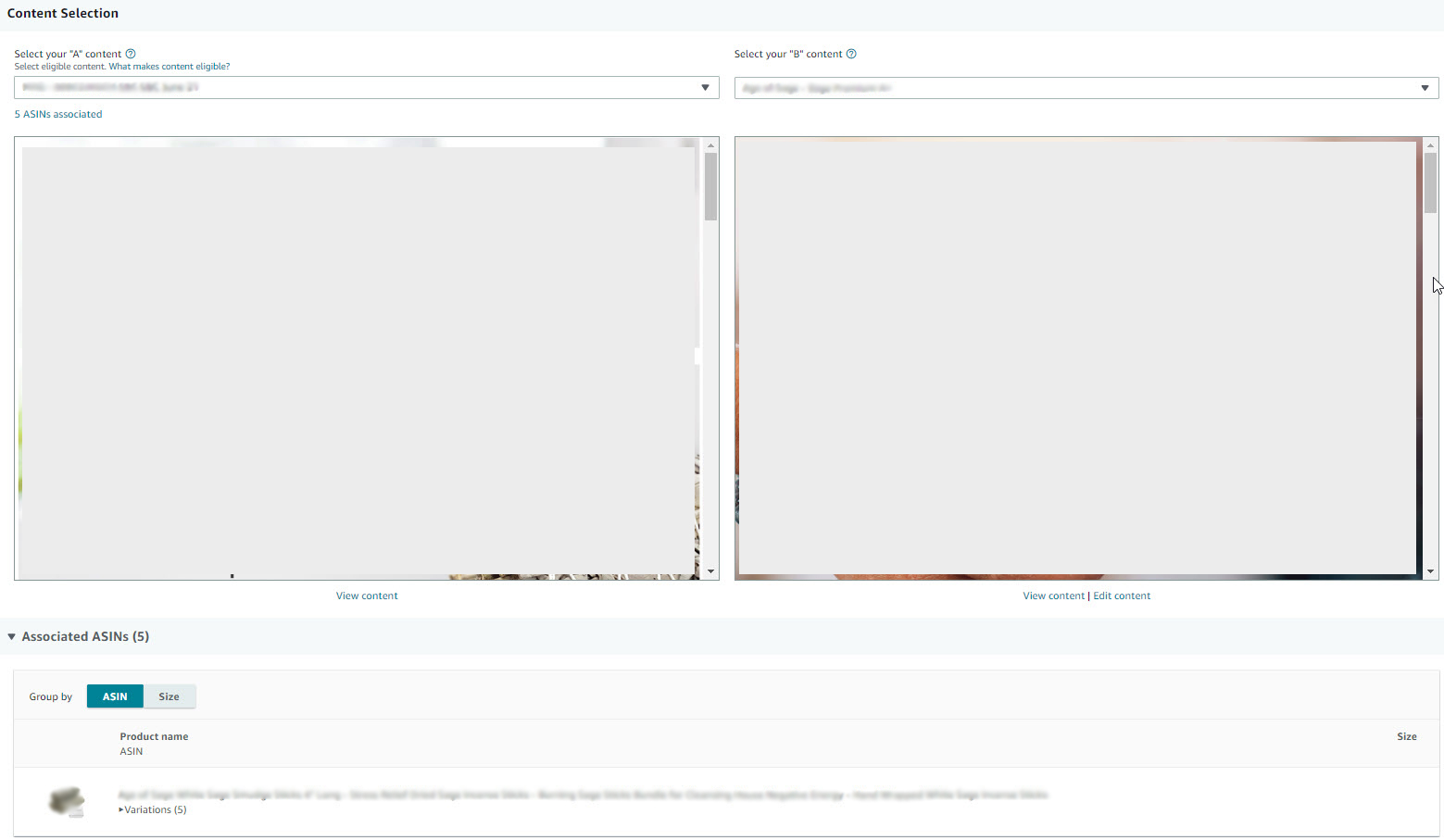
- Content Selection
- "A" content
- Must be previously approved
- Must be associated with the Reference ASIN
- Cannot be part of a current A/B test
- Cannot have more than 500 associated ASINs
- "B" content
- Must be associated with the Reference ASIN
- Cannot be part of a current A/B test
- Will automatically inherit ASINs from A
- If “B” content is newly drafted, add the ASIN into it and save it as Draft
- "A" content
- Once all information has been entered, click Submit A/B Test. You will be routed back again to the experiments landing page.
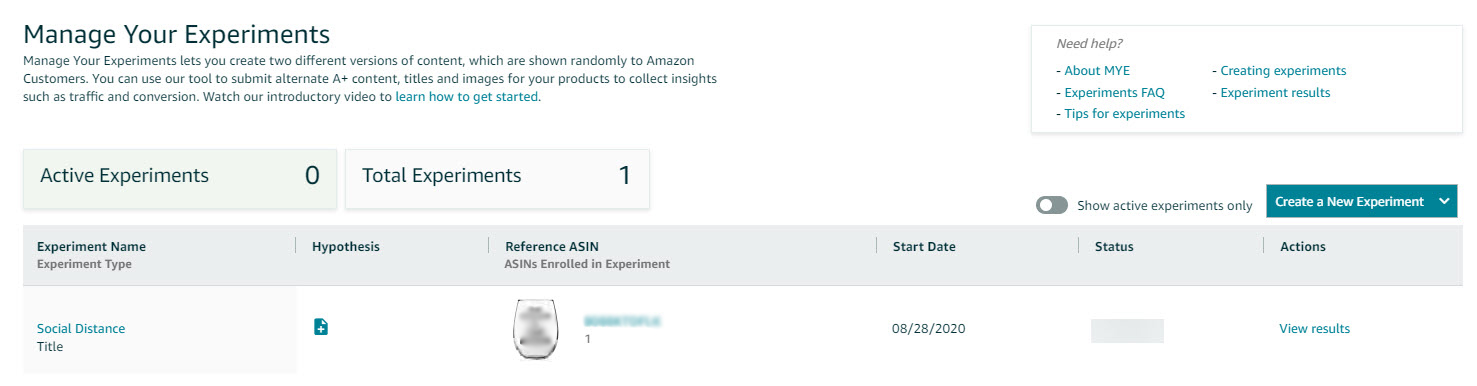
- Click View Details to check the experiment's current status.