Here are some steps that you can take to identify the issue:
Phantom parentage refers to a situation on Amazon where another seller has created a listing or variation for your ASIN, causing issues in making proper changes. It occurs when historical data from another seller remains in the system, leading to the creation of a duplicate listing, even if you have Brand Registry or are the sole seller of that product. This problem can also arise when the Amazon catalog team has locked the listing, which is more common on Vendor Central.
Check the variation wizard and if you come across an ASIN or variation that is not supposed to be in the listing, it indicates a 'phantom parentage' problem.
How to find the variation wizard:
- Under Inventory click Manage All Inventory
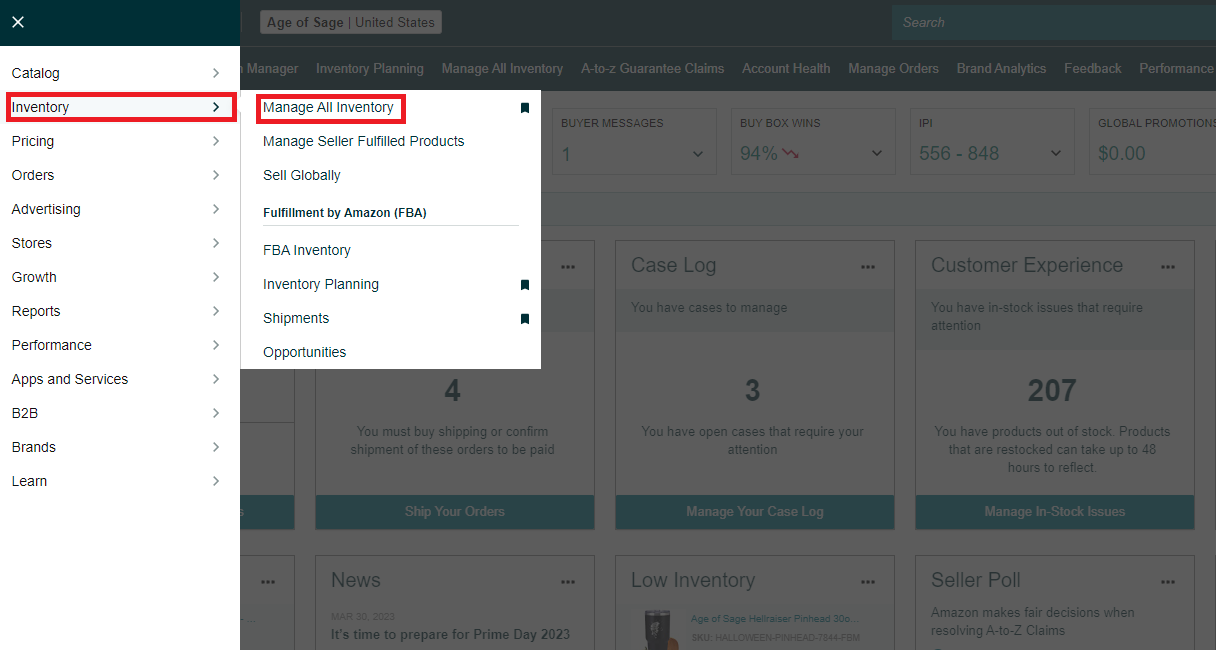
- Click Add a variation

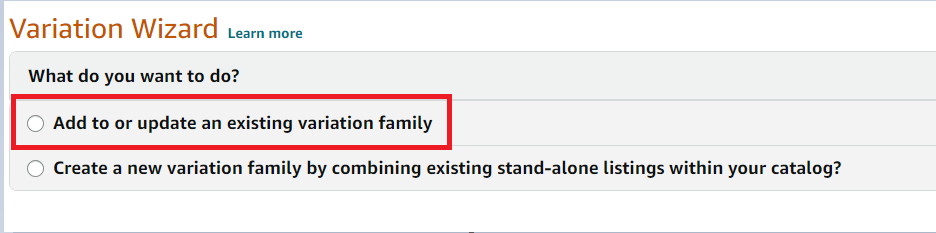
- Click Add to or update an existing variation family
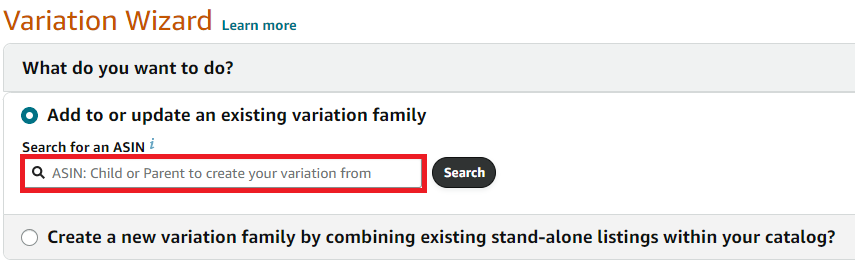
- Paste your ASIN in the search box
- You can see your variation tree as shown below:
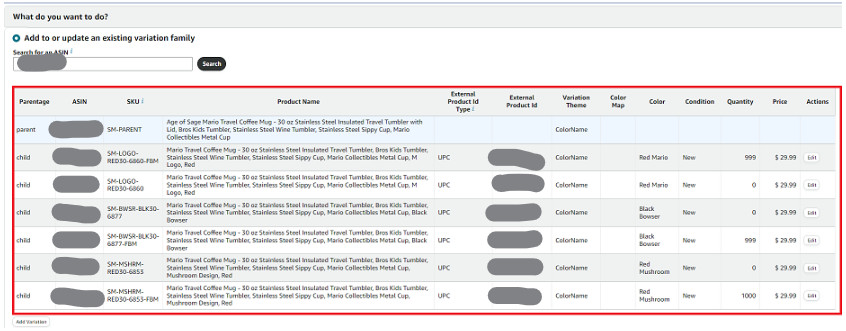
How to Use Auto Tool:

- Choose to Remove a child ASIN from a variation family
- Enter the ASIN and submit the case.
How to Ticket Amazon:
1. Create separate tickets for both Seller Central and the Brand Registry Portal.
- Create Ticket from Seller Central and Brand Registry
Catalog SOP: How to Submit a Ticket to Brand Registry
Catalog SOP: How to File a Ticket in Seller Central - Use the ADMIN Seller Central email when creating a ticket
- Finally, call Amazon from the created ticket (request for the captive team) and ask them to action it.
2. Use the template below as a starting point, and adjust it to fit your specific scenario:
Dear Amazon Seller Support,
We are having issues with phantom parentages on our listings which prevent us from making proper changes on our listings.
Entity ID: (Enter this)
Merchant ID: (Enter this)
We are the administrator for the brand: (Enter brand name)
For the Following ASINs:(the child ASINs we want to remove)
We would like these ASINs removed from the PARENT ASIN (Enter parent ASIN from wizard) See screenshot from the Variation Wizard: (Take a screenshot and show Amazon)
Please action this request and let us know when done.
Thanks,
