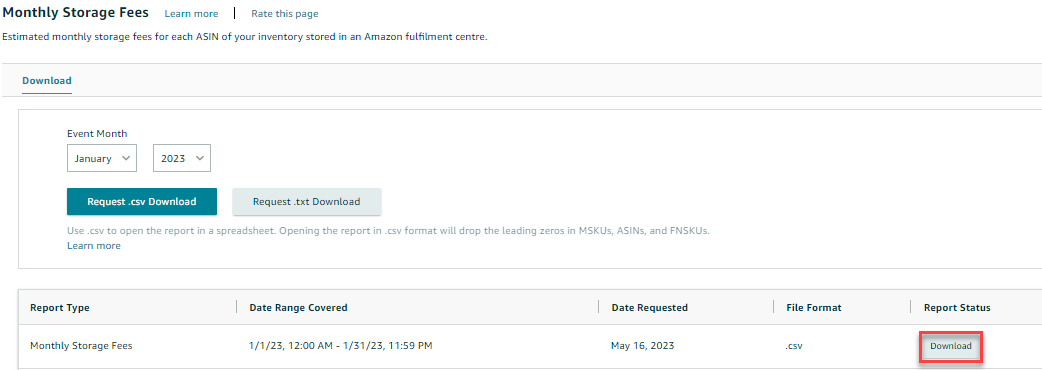
Who is this for? This is intended for individuals or teams responsible for inventory management, financial analysis, and cost optimization on Seller Central. It is suitable for users who have access to Seller Central and need to generate a Monthly Storage Fees Report to track and evaluate their monthly storage expenses. This SOP will assist users in navigating to the appropriate section, selecting the desired report format, and downloading the report for review, analysis, and decision-making purposes related to inventory management and cost optimization. It is particularly relevant for sellers seeking to understand and control their storage costs, improve profitability, and streamline their inventory management processes.
Objective: To provide instructions for generating a Monthly Storage Fees Report. This SOP aims to guide users in accessing and downloading a report that provides information on the monthly storage fees incurred for their inventory on Seller Central. It enables users to monitor and analyze storage costs, optimize inventory management, and make informed financial decisions.
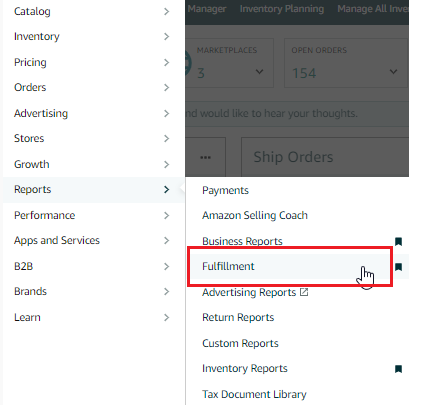
- Go to the "Reports" Tab on the Top Menu of Seller Central and select "Fulfillment" from the Drop-Down Menu.
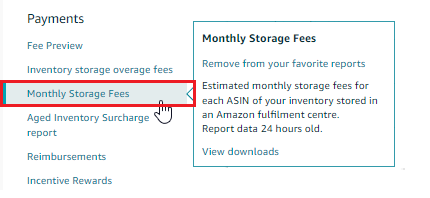
- Under the "Payments" header on the left-hand side of the page, click on "Monthly Storage Fees".
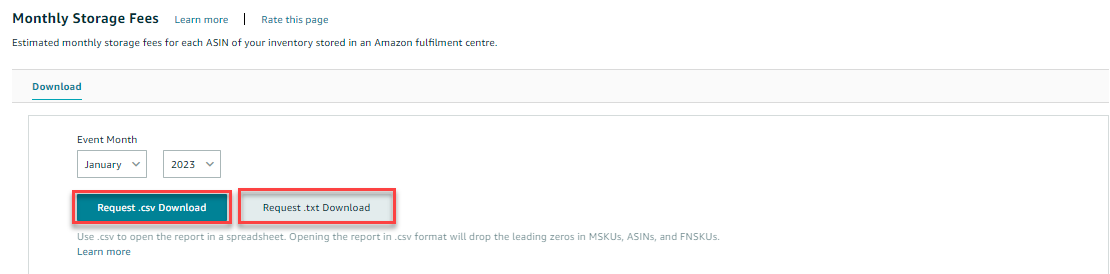
- On the next page, choose "Event Month" and Year from the Drop-Down Menus Available.
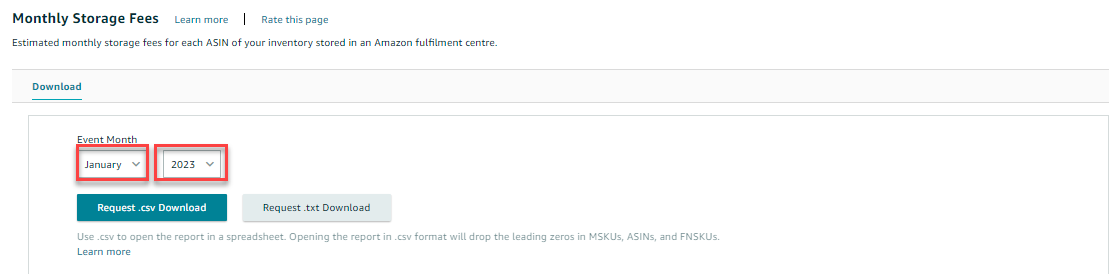
- Click on the "Request .csv Download" button to download the report in an Excel format or the "Request .txt Download" button to download it in a text format.
- Check the "Report Status" Column in the table below to see if the report is still "In Progress".
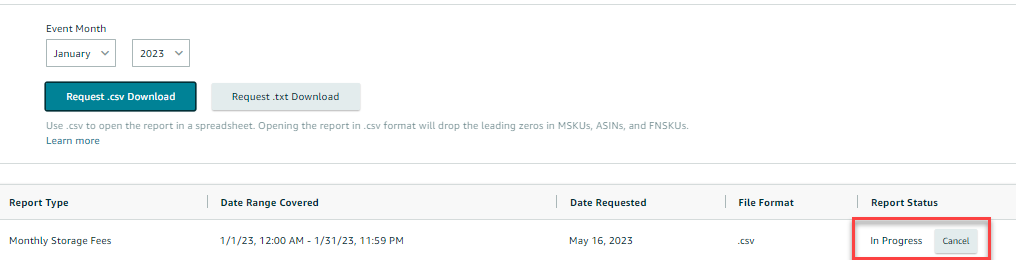
- Once the report is ready for download, the status will change to "Download". Click the "Download" button in the "Report Status" Column to download your report.