Walmart Parentage via Maintenance Spec Sheet
Who is this for? This is for the Account Specialists who are in charge of creating a parentage.
Objective: To provide customers with a more comprehensive view of the available options for a product.
Instructions:
1. Log in to Walmart seller central account. Go to https://seller.walmart.com/.

2. Download the Maintenance Spec Sheet by going to Items under the Product Catalog.
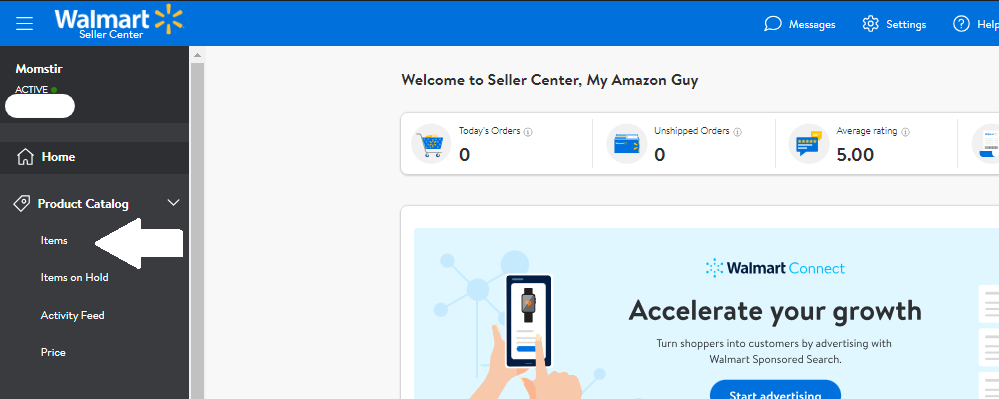
3. Click the Manage Items and choose Update Items from the dropdown.
 4. You will be redirected to the Update items in bulk screen to download the Maintenance Spec Sheet and you need to choose the following information:
- Select fulfillment type: Seller Fulfilled
- Select update method: By Category
- You can confirm the product category in the Items section.
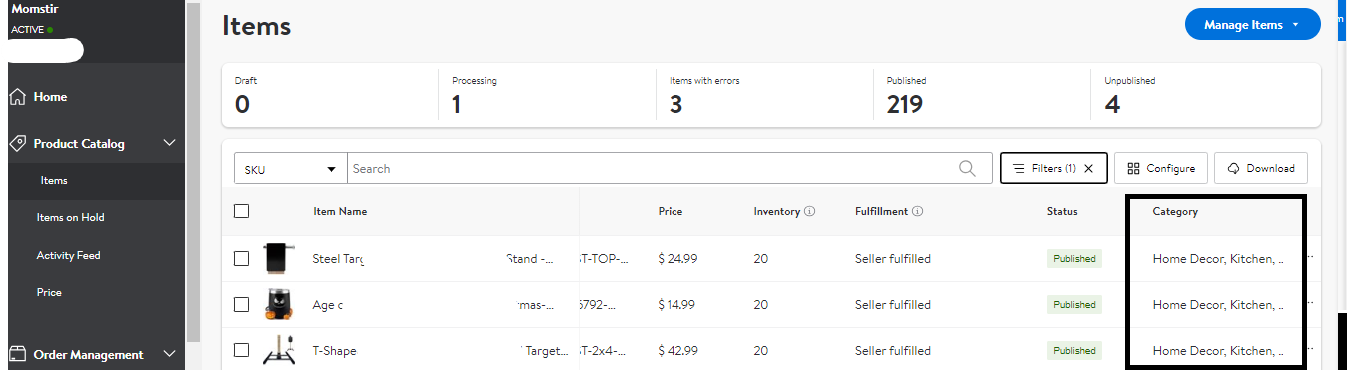
5. After choosing the category, click Apply.
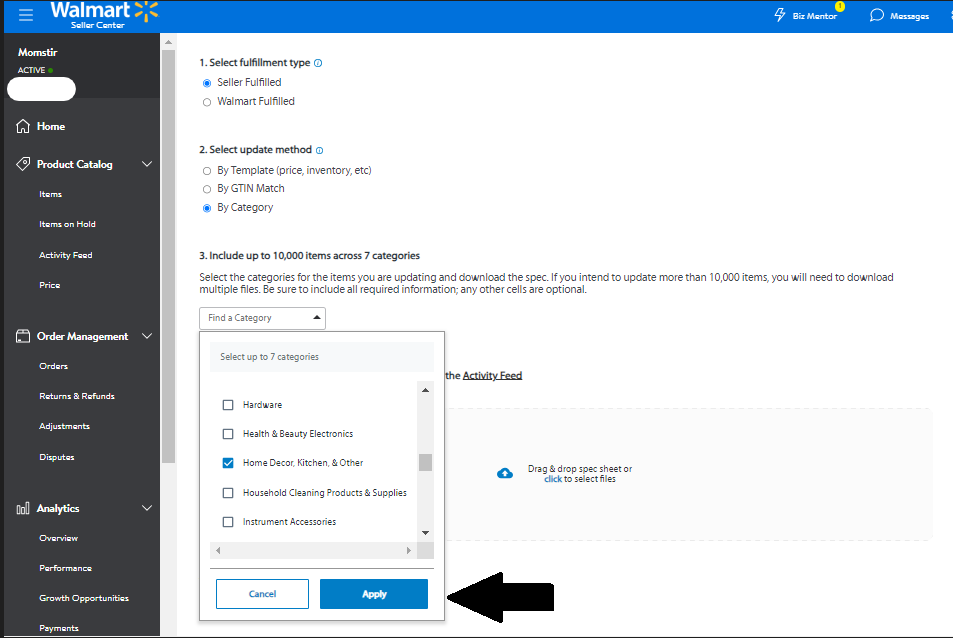
6. Then click Download.
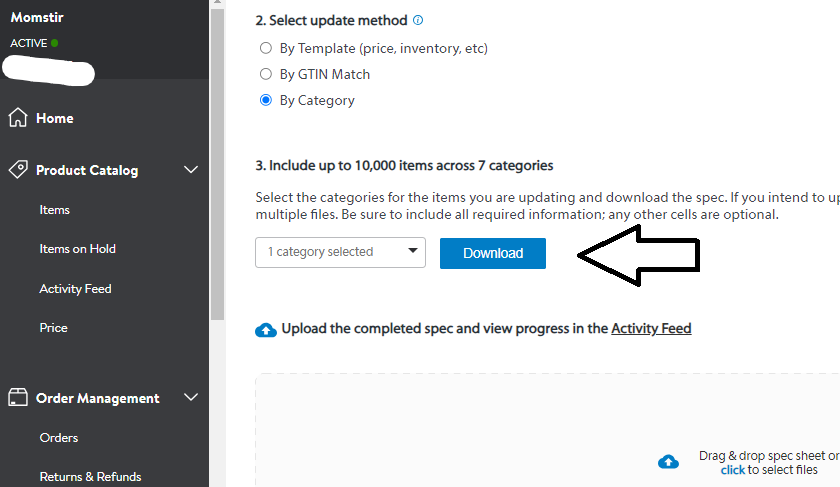
7. Open the downloaded maintenance spec sheet file.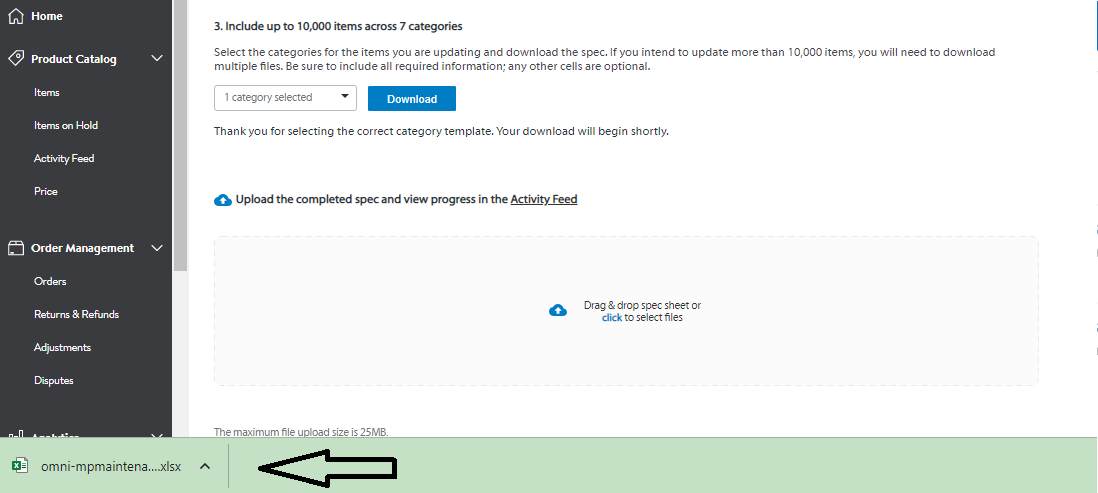
8. To create a variation family the following attributes are needed to fill out.
SKU
Product ID Type
Product ID
Variant Attribute Names (+) *This is the same as the Amazon variation theme
Is Primary Variant (Yes/No) *Choose 1 listing to be the primary variant
Variant Grouping Attributes - for example, if you choose countPerPack as Variant Attribute Names then you have to fill out the Count Per Pack column for each child.
Sample of the filled-out Maintenance Spec Sheet template

9. Once filled out Save and go back to the Update items in bulk screen. Drag or select the filled-out maintenance spec sheet.
10. Click Submit.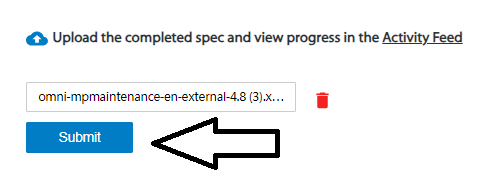
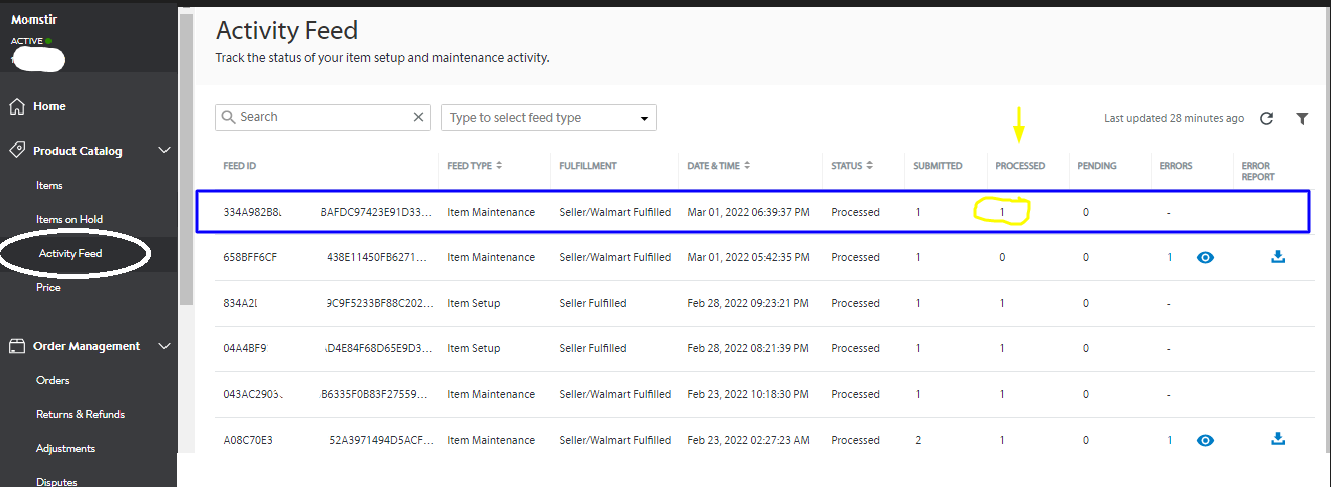
11. A successful feed upload will show up. Wait for the file to be processed. Check the feed ID on the Activity Feed under Product Catalog to see if the update is successfully processed.
12. Confirm if the variation is successfully created. Go back to Items, your item should have a "Manage variants" option when you hover the mouse over the listing. Also, click "View on Walmart.com"
to confirm if the variation is correctly showing on the detail page.
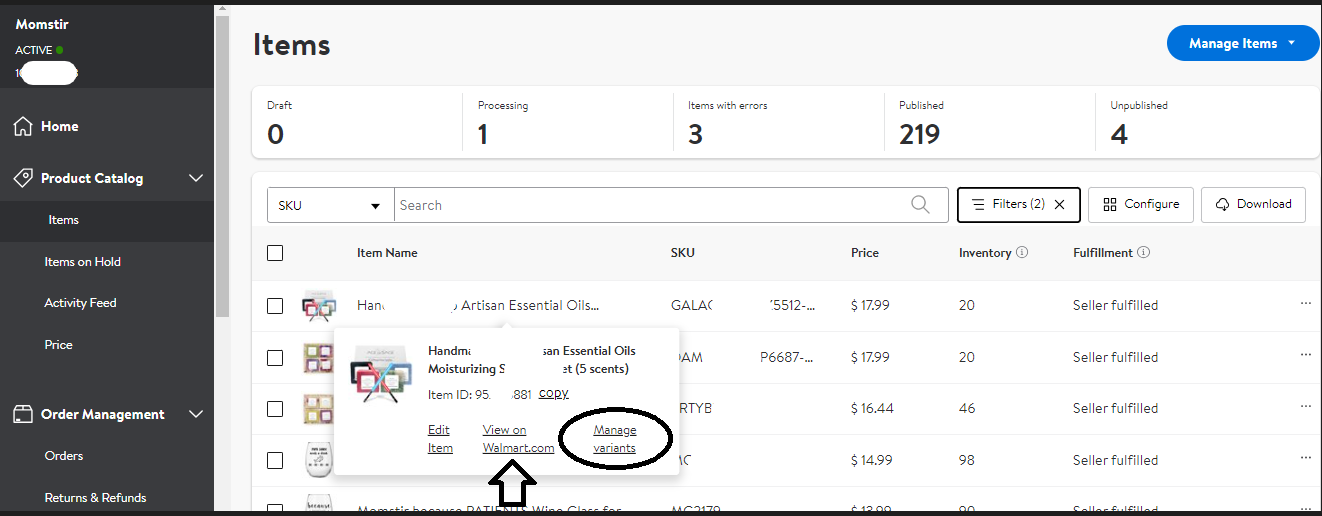
13. The variation must show on the PDP.
d
