Who is this for: This is intended for sellers or individuals responsible for managing promotions on the Seller Central platform.
Objective: To provide clear instructions on how to cancel or discard a Buy One Get One (BOGO) promotion on the Seller Central platform.
Unless there is a critical cause, it is important to communicate, and get client’s approval first before cancelling active promotions. Include the approval proof (screenshot or fireflies call link) as Task Details or as a Comment.
To cancel or discard a Buy One Get One Promotion, follow these Steps:
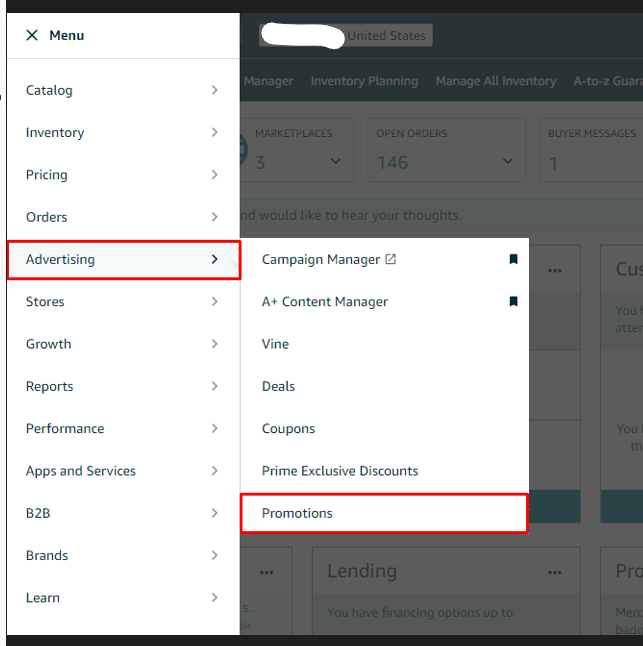
- Go to the "Advertising" tab on the top menu of Seller Central and select "Manage Promotions" from the drop-down menu.
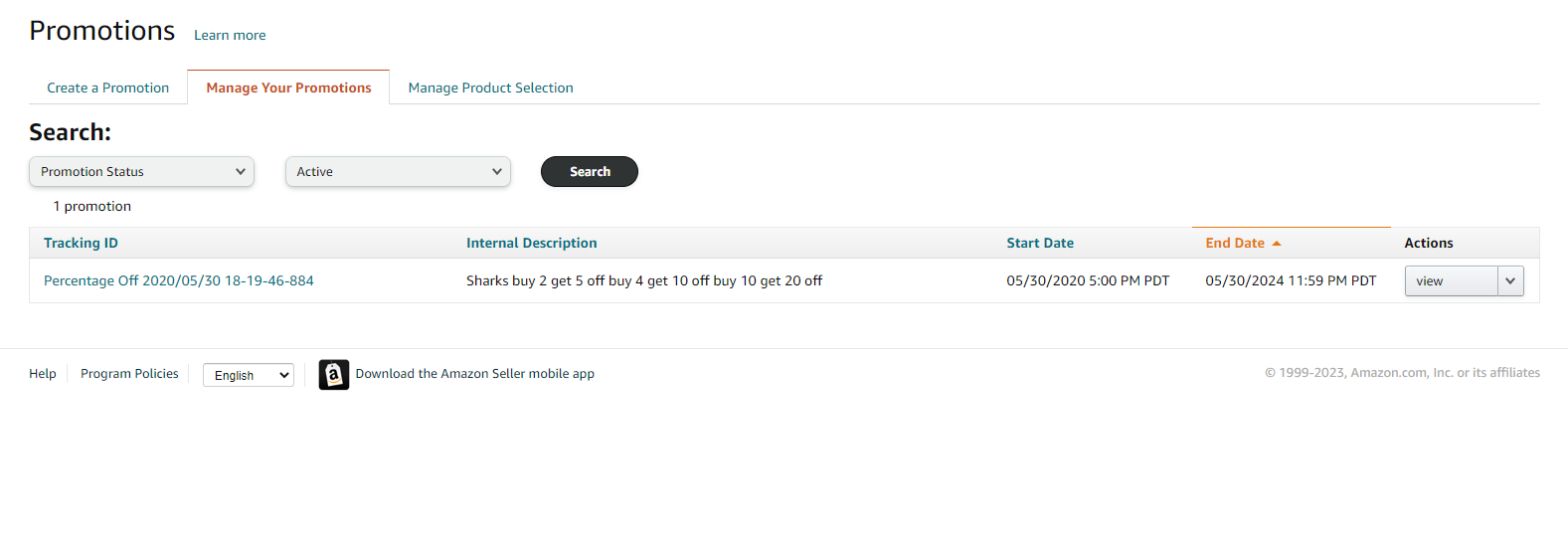
- Use the search option drop-down menus to locate your promotion under the "Manage your Promotions" tab
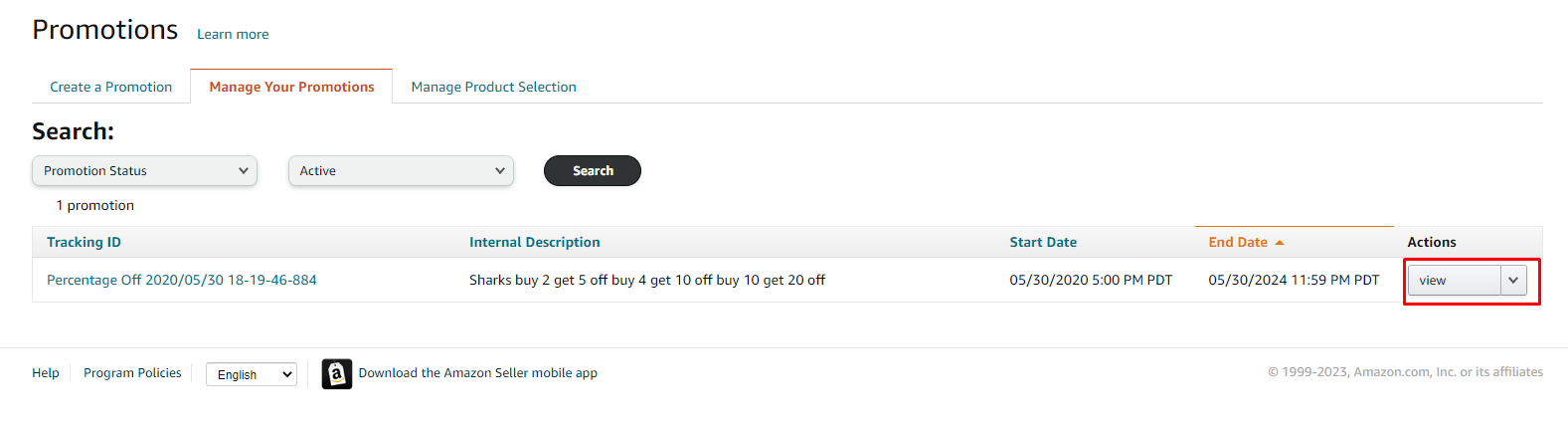
- Click on the tracking ID of the promotion to view it or click the "View" button to the right of the promotion you wish to discard.
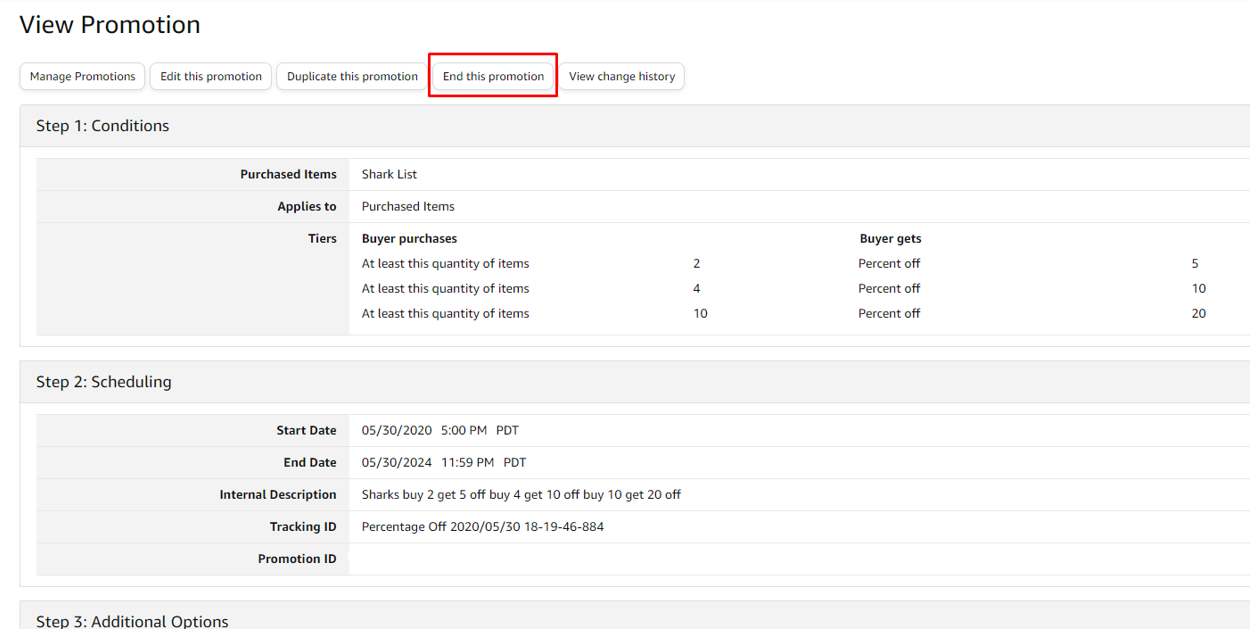
- Once you are on the Buy One Get One Promotion page, click the "End this Promotion" button.
- A pop-up window will appear to confirm that you want to cancel the promotion. Click "Submit" to confirm and cancel your Buy One Get One Promotion.
