Who is this for? This is for all individuals and sellers for those who upload videos on their listing but Amazon rejects them for some reason.
Objective: This Standard Operating Procedure (SOP) will help you understand and fix the Rejected Videos by Amazon.
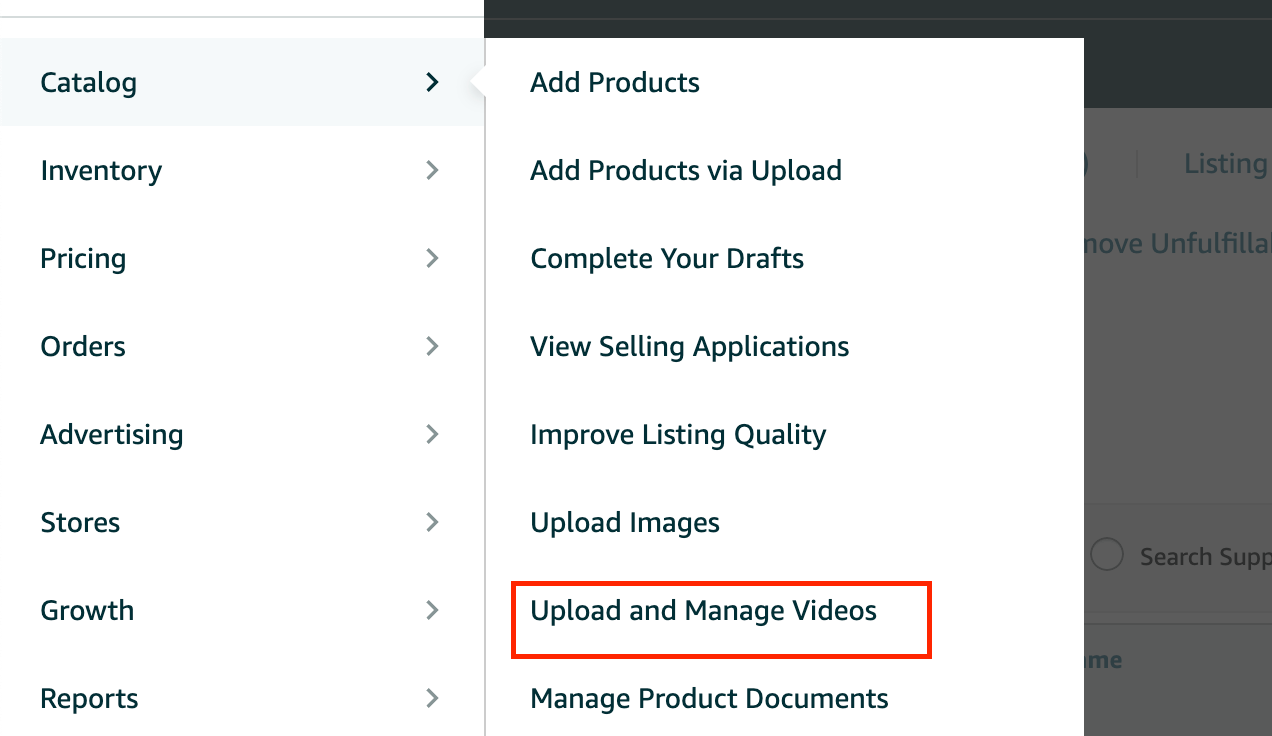
- Access the “Catalog” tab from the top menu of Seller Central and select “Upload and Manage Videos” from the selection Menu.
- Locate the rejected video and see the rejection reason. Identify the specific issue(s) mentioned in the rejection notice, such as technical problems, content violations, or formatting errors. Cross-reference the rejection reasons with Amazon's video guidelines and policies to gain a clear understanding of the violations.
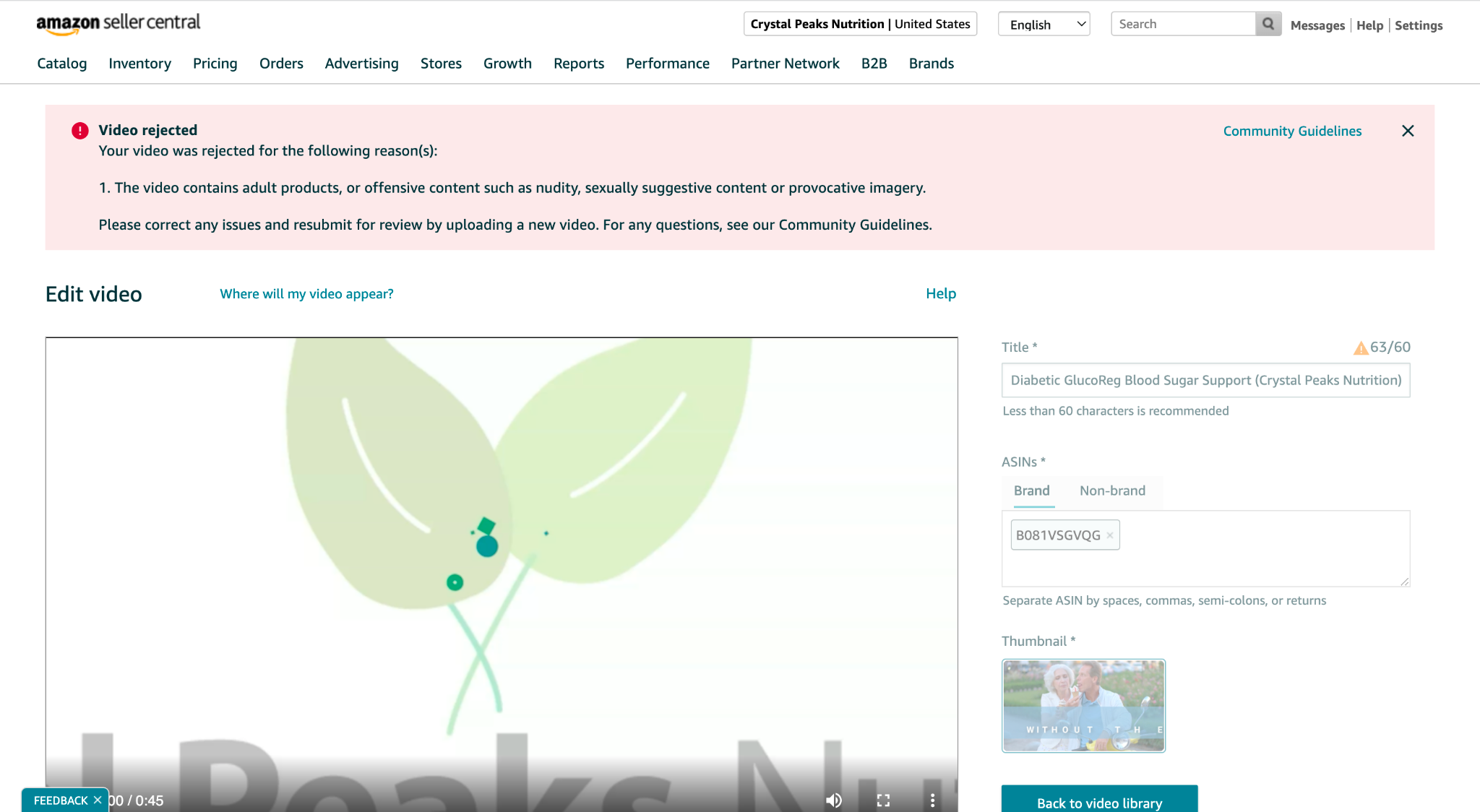
- Resolve content violations:
- In case the rejection is due to content violations, identify the specific content elements that violate Amazon's guidelines.
b. Modify the video content to remove any prohibited elements, such as explicit language, misleading claims, or copyright infringement. Refer to community guidelines in seller central help page for additional details .
c. If required, consult with Amazon's Seller Support for clarification on any specific content concerns.
- In case the rejection is due to content violations, identify the specific content elements that violate Amazon's guidelines.
- Resubmit the video for review once the necessary changes have been made.
- If you think that the video has been rejected in error, you may contact seller support and provide the video identifier (Video ID).
- In order to find the video identifier (Video ID):

Note: It is important to adhere to Amazon's guidelines and policies when creating and uploading videos. Regularly reviewing and updating your videos based on Amazon's guidelines will help increase the chances of approval and improve the overall quality of your product listings on the platform.
