Videos are a great way to increase confidence in buyers on Amazon. Adding video content can help boost sales, increase conversion rate, and decrease returns. Currently, both brand-registered and non-brand-registered sellers can add videos in the image stack but Brand Registry is required for videos to appear in Ads or on the Brand Store.
Before commencing with any changes, it is important to communicate, and get client’s approval first. Include the proof of approval(screenshot or fireflies call link) as Task Details or as a Comment.
Procedure for Adding a Video
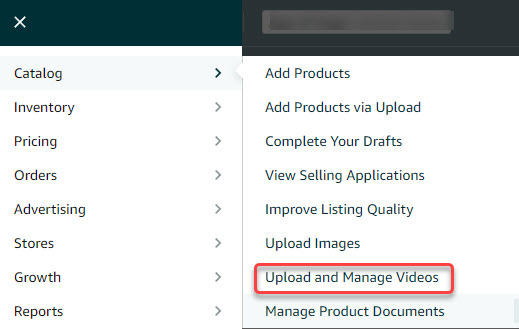
To access the "Upload and Manage Videos" function, select it from the "Catalog" tab Drop Down Menu on the top menu of Seller Central.
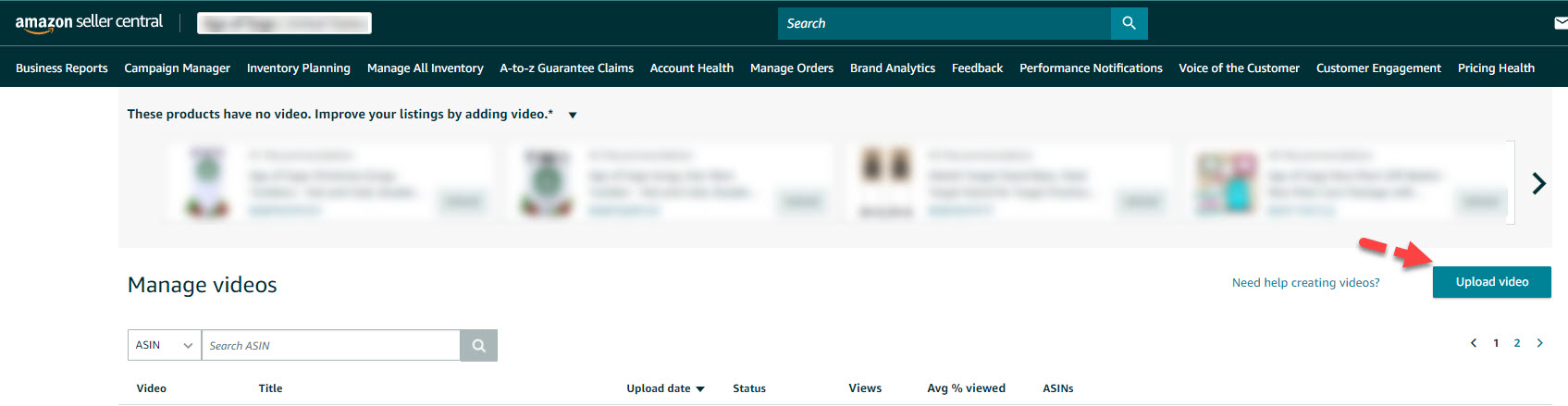
Click "Upload video".
Once on the upload page, enter your video title, relevant ASINs, and upload your thumbnail, and upload your video.
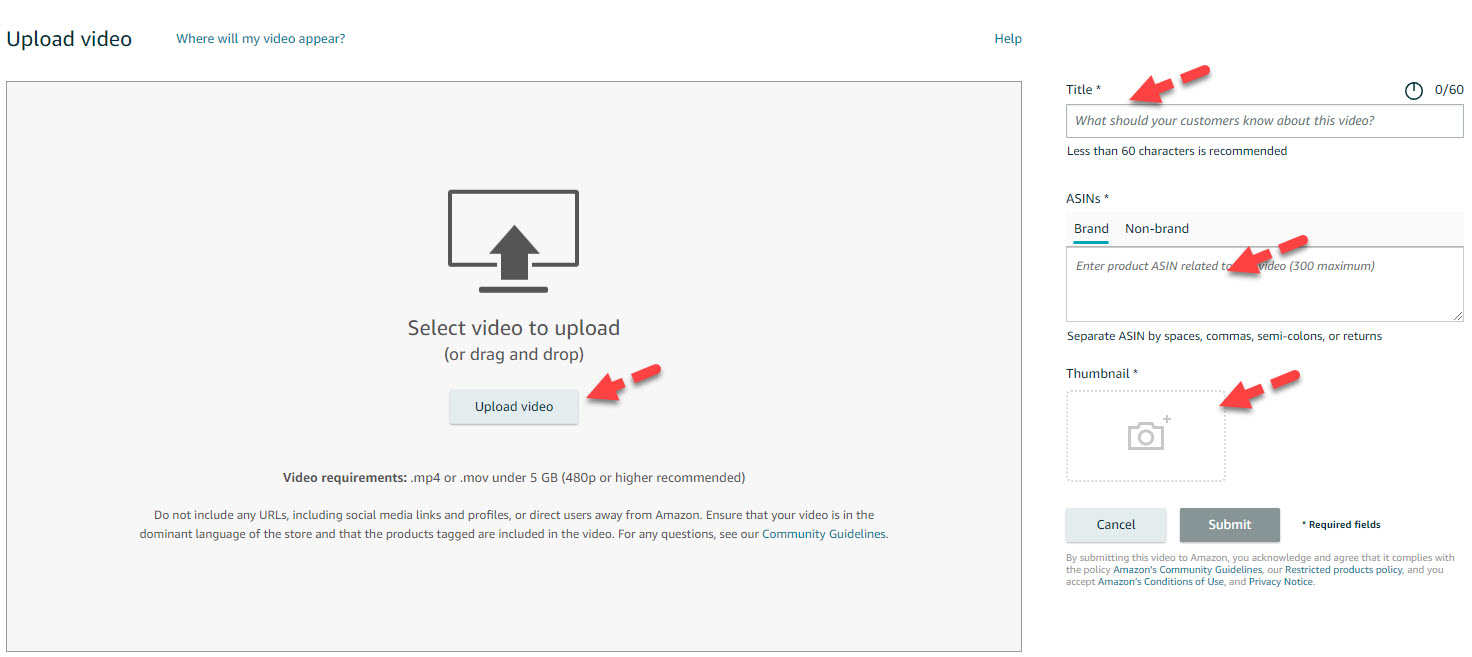
After uploading, click the "Submit" button in the bottom right corner of the page.
Procedure for Editing or Removing Videos
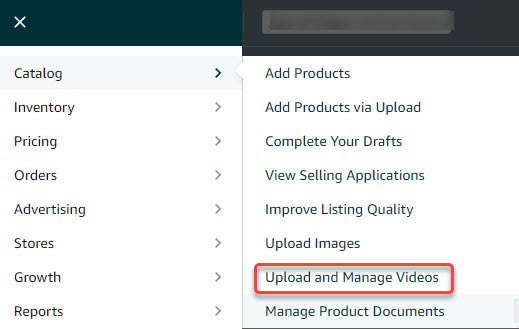
To edit or manage your videos, choose "Upload & Manage Videos" from the "Catalog" tab Drop-down menu.
Select "Manage" or the Trash Bin icon next to the relevant video.
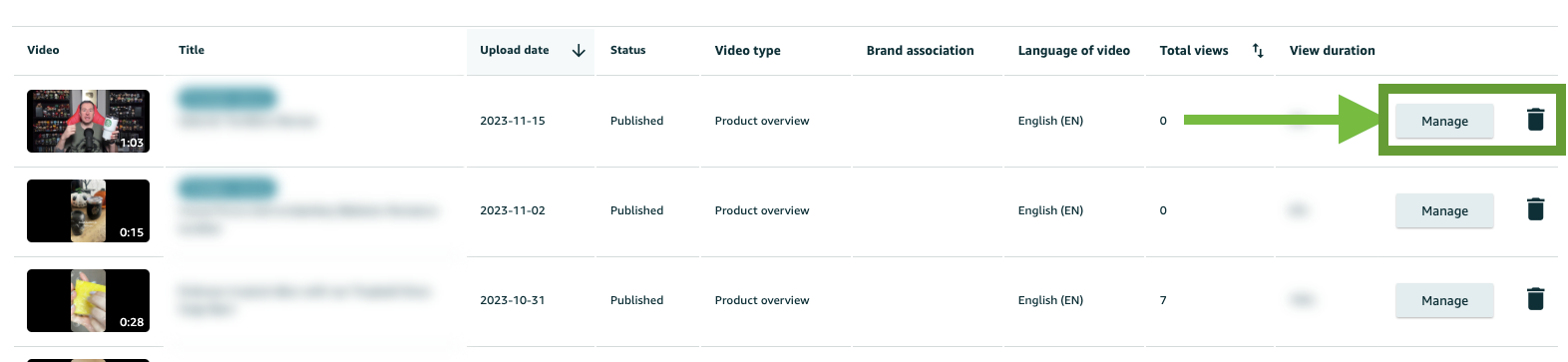
You can then change the video title, add more ASINs, or change the thumbnail image as desired. Click "Submit"
Once you have submitted your video, it will be reviewed by Amazon, and if they deem it to fall within their policies, it will be published to the listing.
Note: If there are more than 6 images in the image stack, the video may not show on the PDP unless you click to "pop out" the image stack.
