Who is this for? This Catalog SOP for removing unauthorized sellers (hijackers) is designed for brand owners or their authorized representatives who have registered their brand with Amazon's Brand Registry and are responsible for protecting their brand's intellectual property rights on the platform.
Objective: To effectively identify and report unauthorized sellers (hijackers) of a specific product on Amazon, in order to protect the brand's intellectual property rights and ensure customer trust.
Please note the following important information:
- You must provide the exact ASIN and seller name to report.
- Reporting of hijackers needs to be done through your main Seller Central account. DO NOT USE OTHER ACCESS TO REPORT HIJACKERS.
- The retraction process has been very complicated on Amazon recently. Please note that you might not be able to retract a complaint after it is submitted.
Please follow the step-by-step guide below:
- Browse the brand registry console: https://brandregistry.amazon.com/
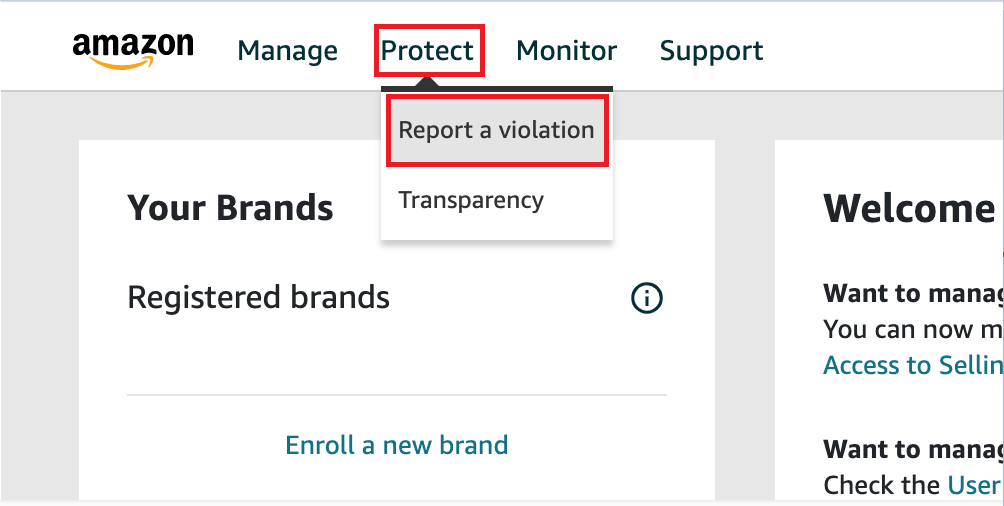
- Go to Protect > Report a violation
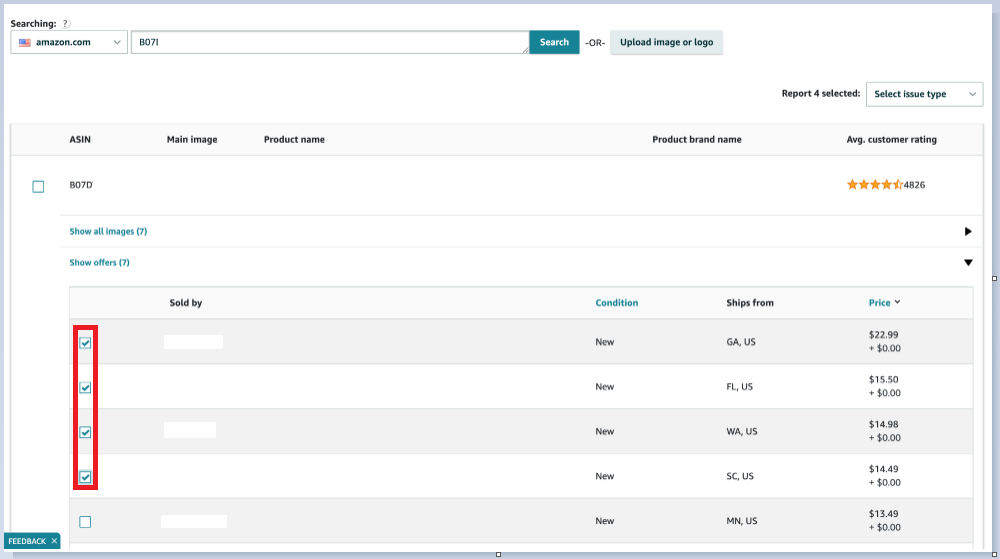
- Select the correct marketplace and enter ASIN:

- Select the hijackers on the list. MAKE SURE YOU DO NOT SELECT YOUR OWN BRAND NAME.
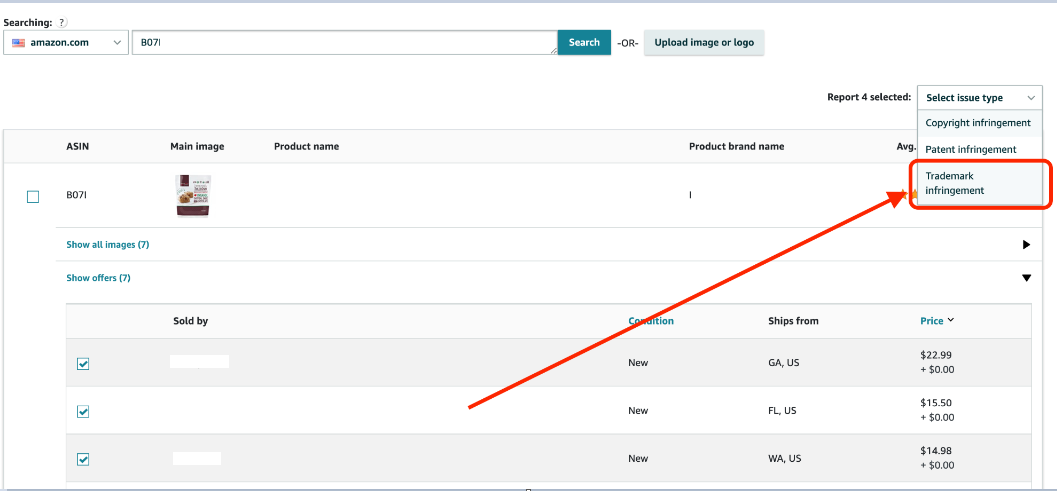
- Click on “Trademark infringement” under the “Select issue type” dropdown menu:
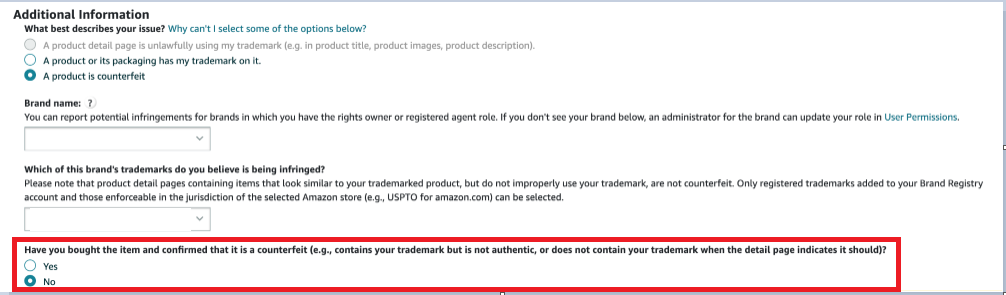
- Select the “Product is counterfeit” option:

- Select the brand name and trademark from the dropdown menus:


- Select “No” and proceed:
- Enter the following message into the text box:

“We are the brand owner of this product. We are not allowing any 3rd party sales of this product and we do not provide this product to other sellers. Therefore, this offer is definitely counterfeit.”
- Enter your contact information:

- Click "Submit"

