Who is this for?: Intended for individuals who are responsible for monitoring and analyzing the performance of the Subscribe and Save program. This SOP involves assessing the effectiveness of the program and identifying opportunities for improvement.
Objective: To outline the process for downloading a Subscribe and Save Performance Report. This report provides valuable insights into the performance of the Subscribe and Save program, allowing stakeholders to analyze key metrics and make data-driven decisions.
- From the Seller Central home page, click the 3-line bars located on the left side. Then, select "Reports" and choose "Fulfillment.
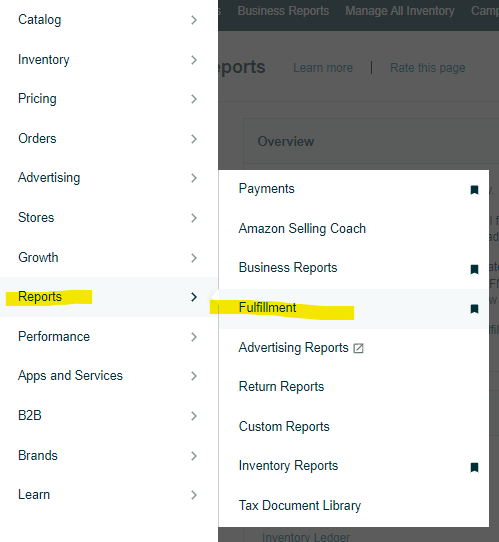
- Under the "Sales" header on the left side of the page, click the "Subscribe & Save Performance" link.

- On the next page, select the desired "Event Date" by clicking on the calendar icon next to the text box.

- Click the "Request .csv Download" button to download the report in Excel format, or the "Request .txt Download" button for a text format.

- In the table below, the "Report Status" column will indicate the status as "In Progress".

- Once the report is ready for download, the status will change to "Download".

7. Click the "Download" button in the "Report Status" column to download the report.
