Who is this for: This SOP is for sellers who want to enroll their products in the Vine Program on Vendor Central.
Objective: The objective of this Standard Operating Procedure (SOP) is to guide users on how to enroll a product in the Vine Program on Vendor Central.
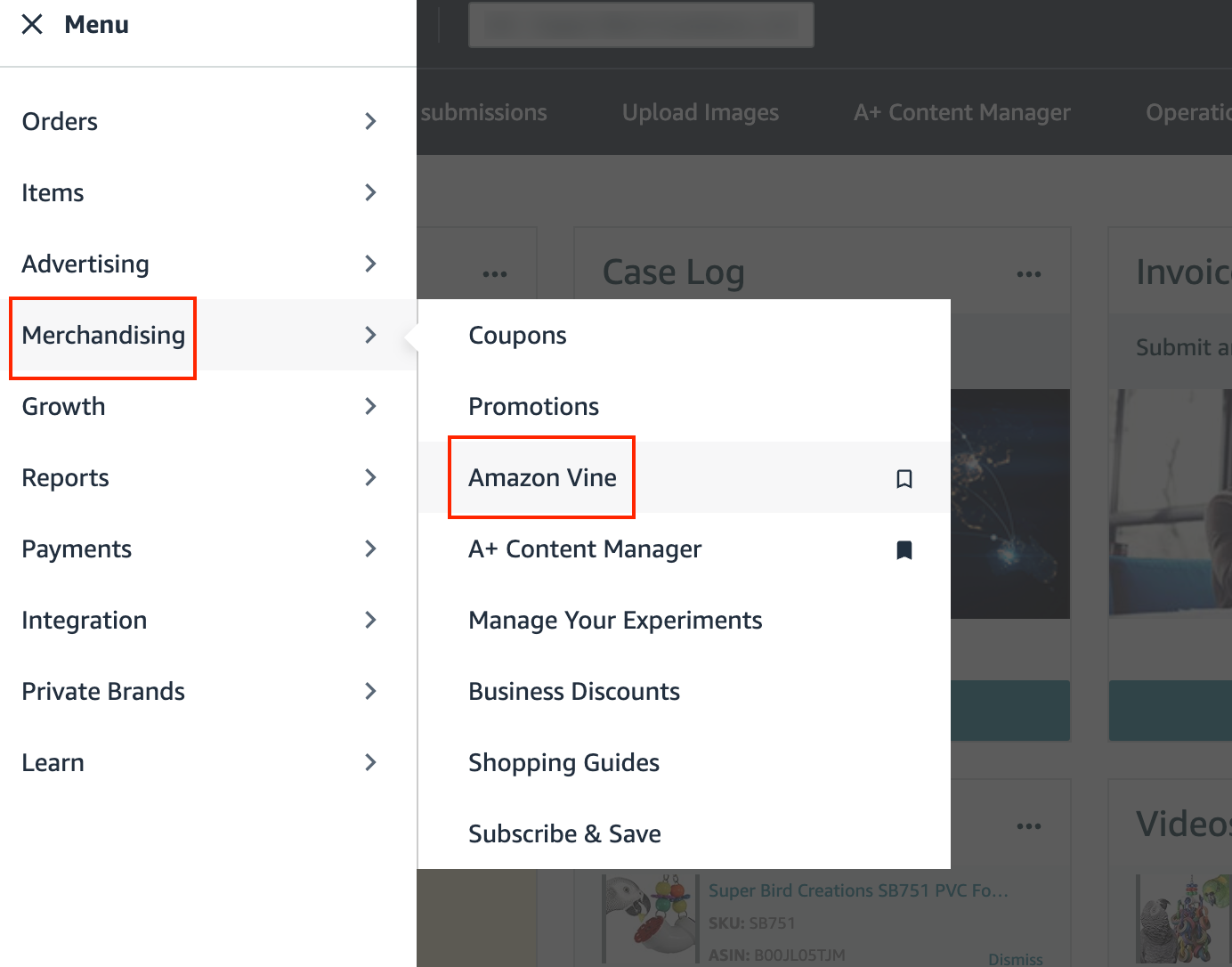
- From the top menu of Vendor Central, go to the "Merchandising" tab and select "Amazon Vine" from the drop-down menu.
Enter the ASIN to be enrolled and click "Begin enrollment".

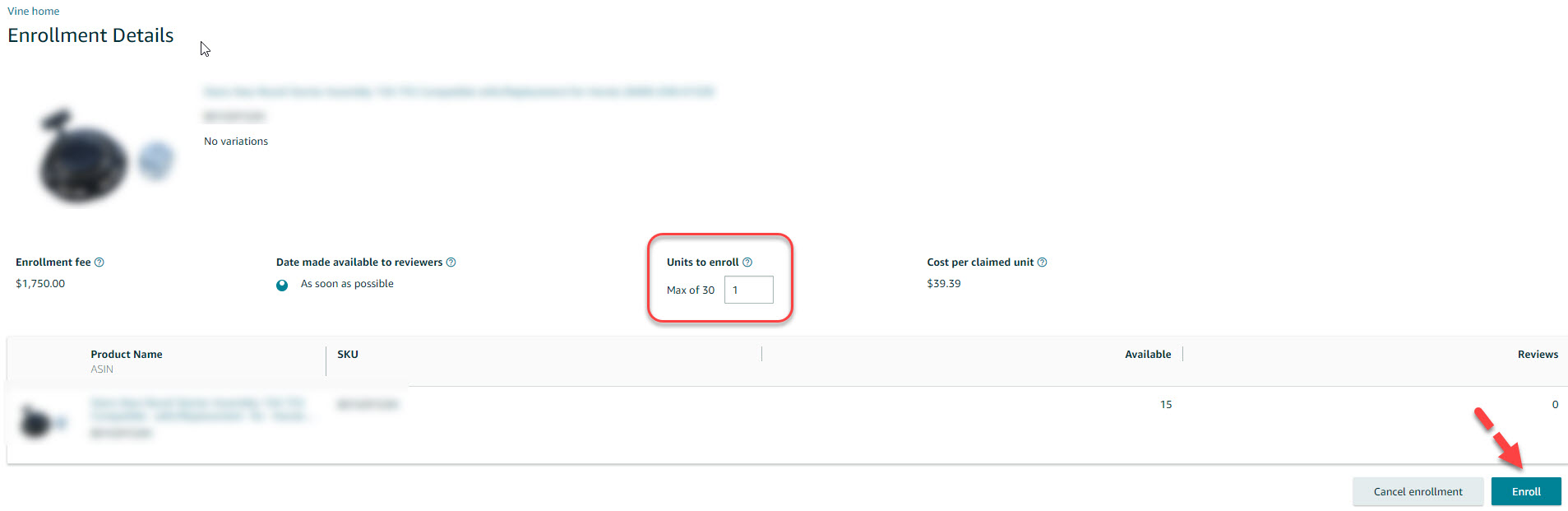
Type in how many units will be enrolled in the Vine program. Click "Enroll".
Choose the Billing Vendor Code from the relevant drop-down menu.
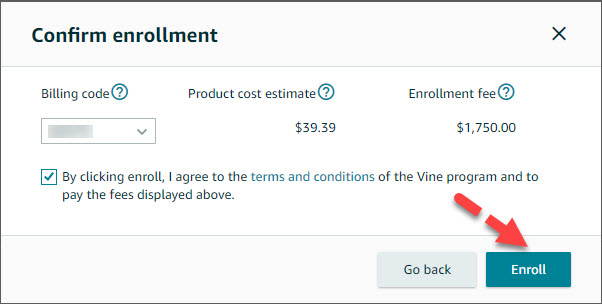
Put a tick mark in the "Terms and Conditions" to accept.
Click "Enroll".
