Who is this for? For anyone who is responsible for managing fba orders.
Objective: To develop a systematic approach for creating cases to handle customer returns that were not refunded.
To create a case for customer returns that haven't been refunded, follow these steps:
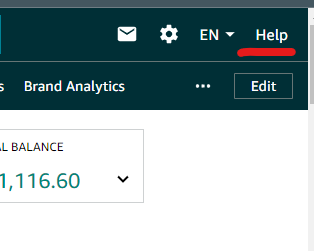
- Go to the "Help" page by clicking on the "Help" link in the top right corner of your Seller Central Account.
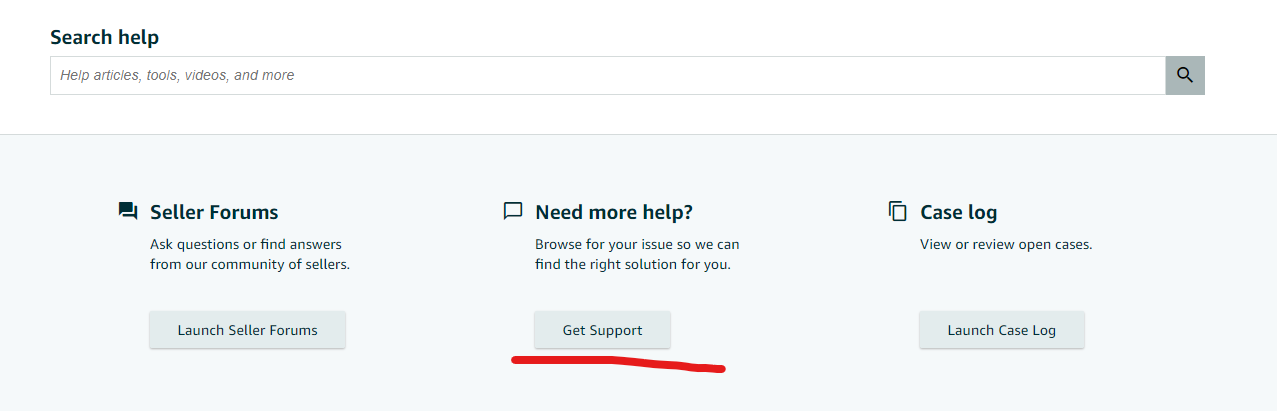
- At the bottom of the "Help" page, click on the "Get Support" button.
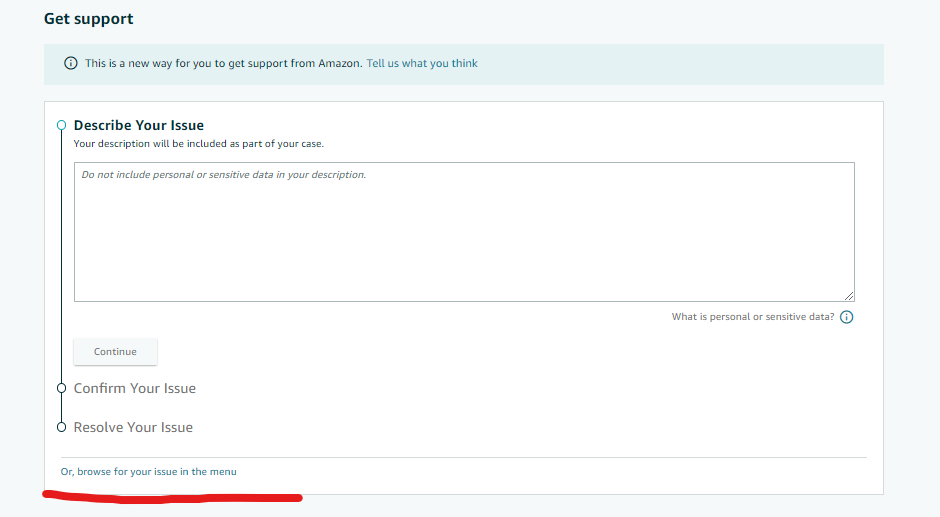
- Select "Selling on Amazon" then click on "Browse for your issue"
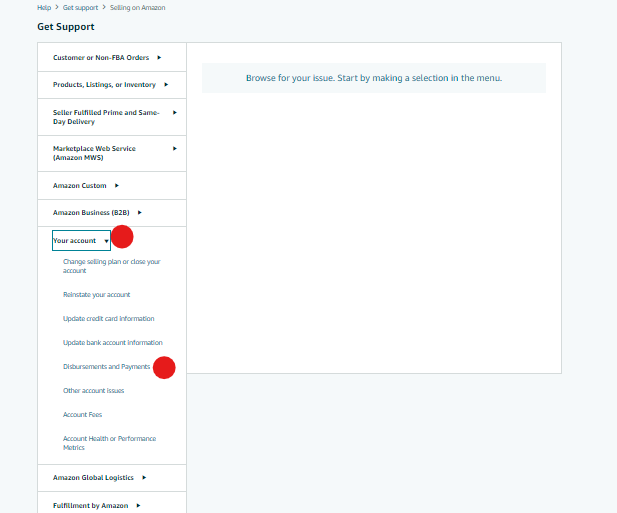
 4. From the drop-down menu, choose "Disbursements and Payments" under the "Your Account" heading.
 5. Click on the "When will I be paid for my Order?" link.
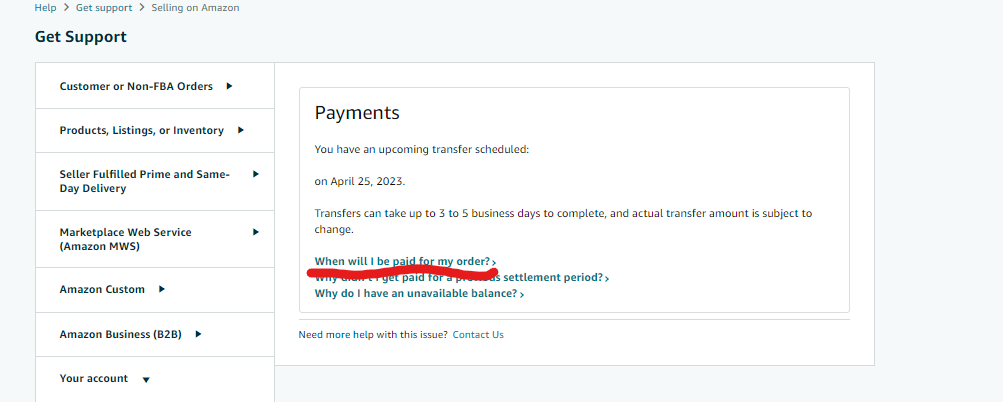 6. Enter your Order ID and click the "Investigate Order or next" button.
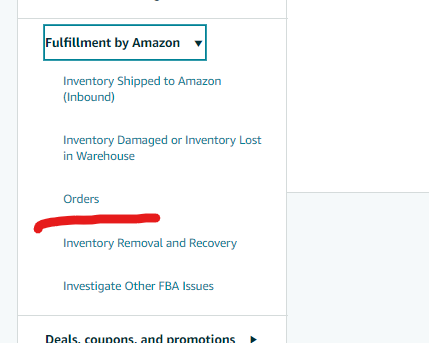
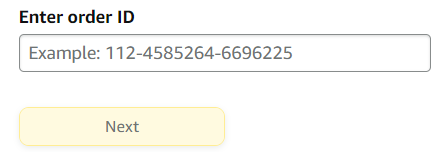 7. Click on the "View Payments Report" button to see the total refund amount and when you can expect reimbursement.8. If you do not have a pending payment report, you can search and open a case for the missing reimbursement by returning to the "Help" page, selecting "Selling on Amazon" as the issue, and choosing "Orders" from the "Fulfillment by Amazon" section.
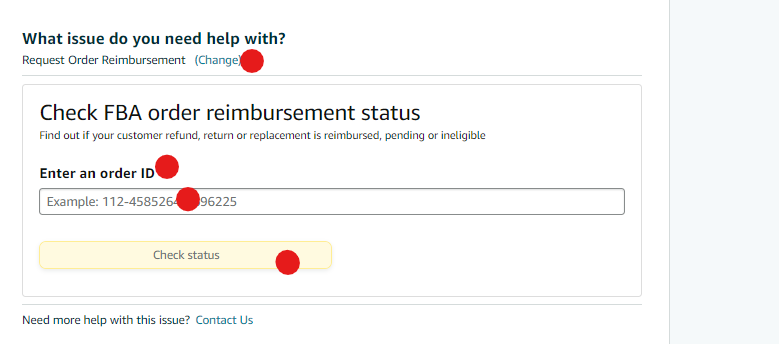
 9. Select "Request Order Reimbursement" and enter your Order IDs one at a time. Then click on the "Check status" button.
 NOTE: If the returned item is in a sellable condition and Amazon has not paid you for it yet, they will not reimburse you. The customer will be refunded instead. If the item is unsellable, Amazon will determine its disposition and reimburse you if the fault wasn't yours.
10. Once you have filled in all the necessary details, click the "Submit" or "Send" button at the bottom of the page.
 4. From the drop-down menu, choose "Disbursements and Payments" under the "Your Account" heading.
 5. Click on the "When will I be paid for my Order?" link.
 6. Enter your Order ID and click the "Investigate Order or next" button.
 7. Click on the "View Payments Report" button to see the total refund amount and when you can expect reimbursement.8. If you do not have a pending payment report, you can search and open a case for the missing reimbursement by returning to the "Help" page, selecting "Selling on Amazon" as the issue, and choosing "Orders" from the "Fulfillment by Amazon" section.
 9. Select "Request Order Reimbursement" and enter your Order IDs one at a time. Then click on the "Check status" button.
 NOTE: If the returned item is in a sellable condition and Amazon has not paid you for it yet, they will not reimburse you. The customer will be refunded instead. If the item is unsellable, Amazon will determine its disposition and reimburse you if the fault wasn't yours.