Who is this for? For Amazon sellers who are involved in managing merchant-fulfilled SKUs, including inventory managers, warehouse managers, and customer service representatives.
Objective: The objective of this process is to establish a clear and consistent system for setting up return settings for merchant-fulfilled SKUs.
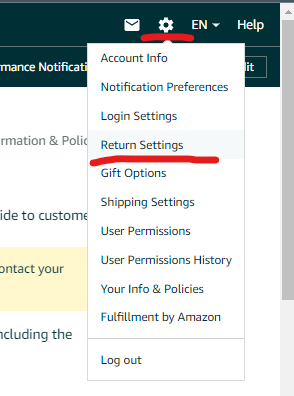
- Click on the “Settings” tab located on the top right-hand side of your Seller Central Dashboard and select “Return Settings” from the drop-down menu.
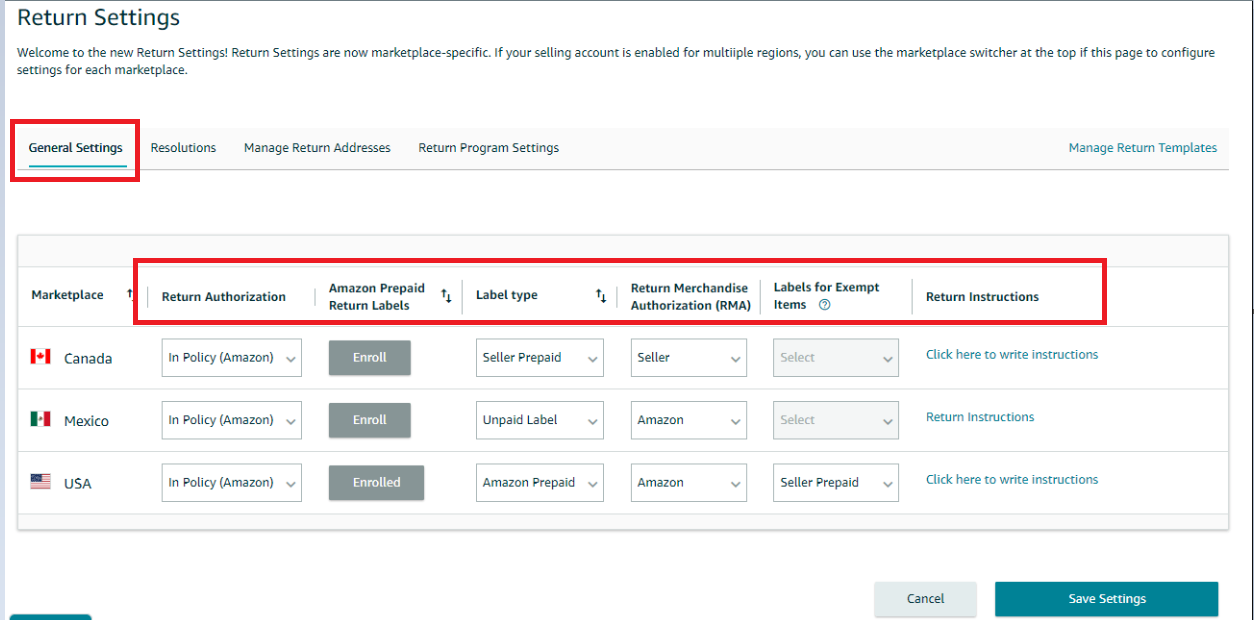
- On the next page, under the “General Settings” tab, choose your preferred option for receiving return request emails with links to authorize, close or reply.
- Select your “Automated Return Rules” according to your preferences.
- Choose whether you want to handle the return mailing label yourself or have Amazon handle it.
- Choose your preferred “Shipping Carrier” from the drop-down menu.
- Decide whether you or Amazon will supply the “Return Merchandise Authorization Number”.
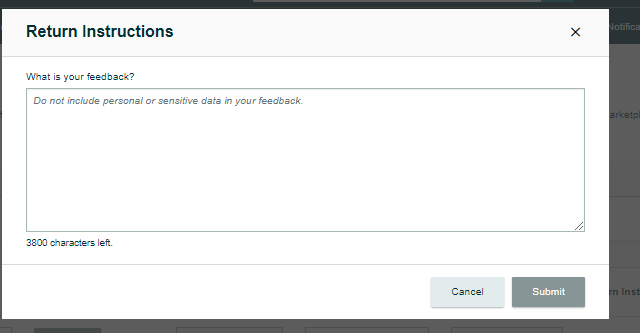
- You can write a return instruction by clicking the "Click here to write instructions" link.
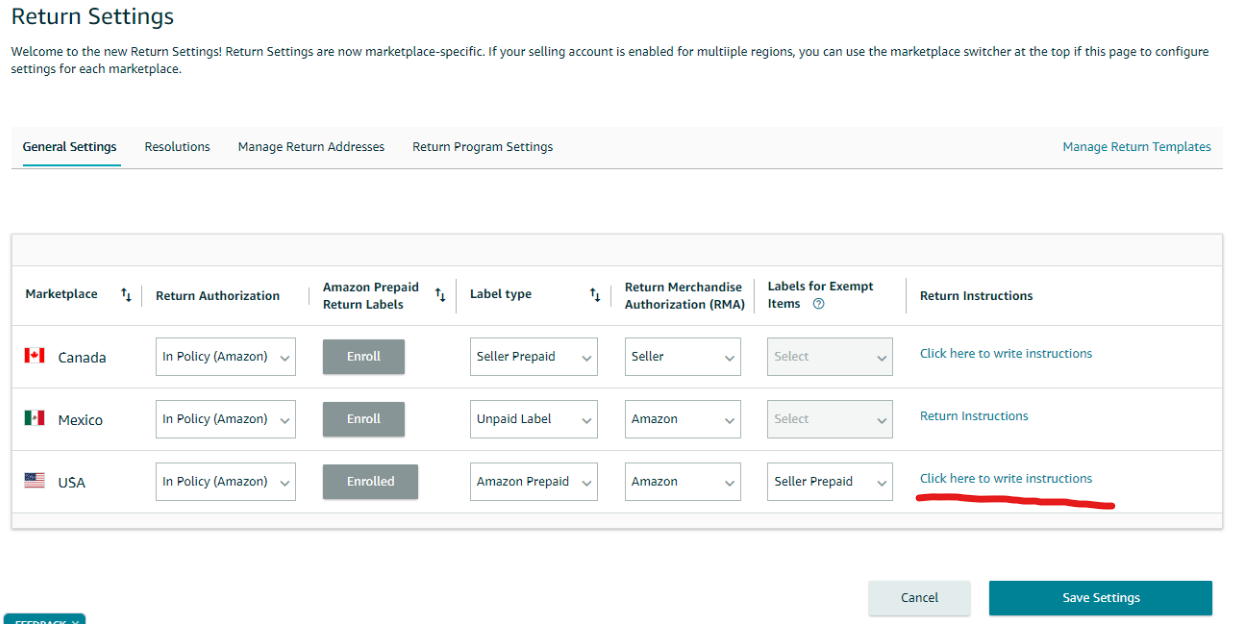
8. Type your “Return Instructions” email response in the text box available below and then "Submit".
9. Click the “Save Settings” button located at the bottom of the page to save your changes
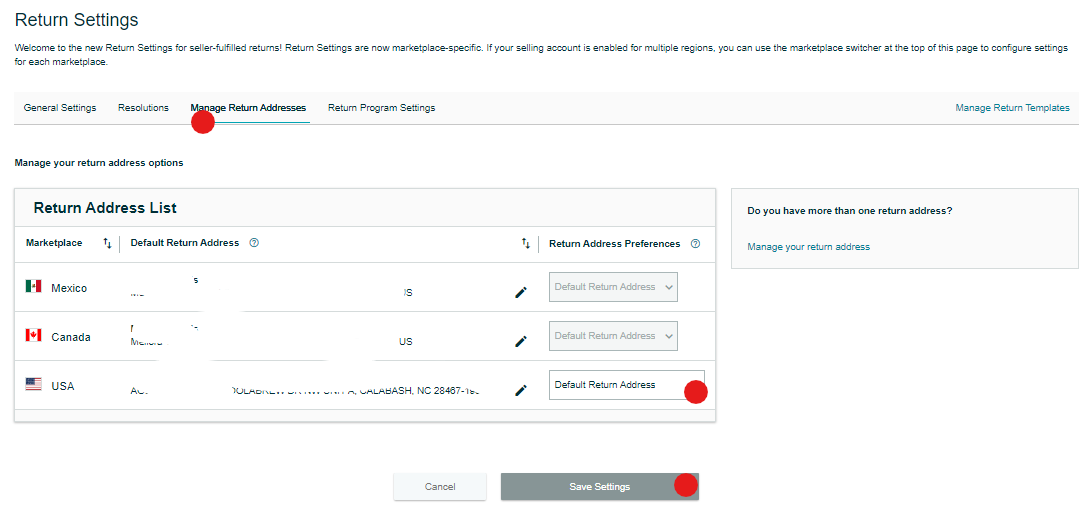
10. Next, go to the “Manage Return Address” settings and enter your address details for the returns.
11. Finally, click the “Save Settings” button at the bottom of the page to save your return address settings