Create a Single Item in Walmart Manually (Seller Fulfilled Type)
Who is this for? For individuals who want to create new listings on their Walmart Seller Central account.
Objective: Successfully create a listing in Walmart manually and know all the required attributes to be able to create the listing.
Required Attributes:
SKU
Product ID (only UPC, EAN, GTIN, ISBN are allowed)
Product ID Type
Product Name
Description (not required but good to have)
Key Product Features (not required but good to have)
Brand
Selling Price
Main Image URL
Secondary Images (not required but good to have)
Package Weight (lbs) if in a different weight unit please convert lbs.
Restriction Type (this attribute is category specific)
Instructions:
1. Log in to Walmart seller central account. Go to https://seller.walmart.com/

2. Go to “Items” under the Product Catalog. And click the drop down arrow in the upper right corner then click on “Add Items”.

3. You will be redirected to the Add page. Click the “create a new item” link.

4. Choose the most appropriate category for the product. Enter the Item identifier (Product ID), Fulfillment, and Item Name.

5. Once the mentioned attributes are supplied, complete the required information in ITEM CONTENT, IMAGERY & MEDIA, and OFFER sections.
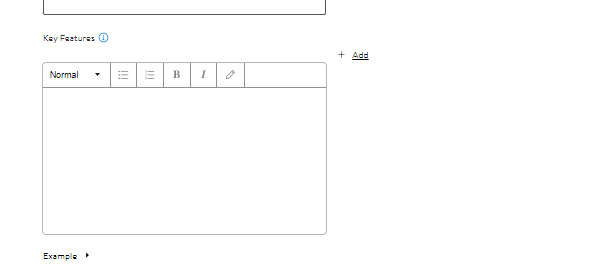
ITEM CONTENT: SKU, Product Description, Brand. Supply key features if the listing has.

Key features or bullet points.
IMAGERY AND MEDIA: Here you have the option to select the images from your device or import images by URL.

OFFER: Restriction Type (other categories do not require this field), Selling Price, and Shipping Weight (lbs).

6. Double check the information and once complete click the submit changes button. A feed ID will be generated.

7. Click the Activity Feed under Product Catalog to monitor the upload and see if the new listing is successfully processed or if there is an error.


8. To verify if you have successfully created the listings. Go to Items under the Product Catalog, you should be able to see the new listings in this section in 5-10 minutes. Visit the product detail page to confirm if all information is correctly showing on the PDP. Hover the mouse over the listing and click View.

