Who is this for? Individuals who wanted to duplicate current A+ content to another marketplace.
Objective: To duplicate A+ content from the US to a different marketplace in an efficient manner.
Amazon A+ Content is the tool that enables brand owners to describe product features in an advanced way: add detailed descriptions, charts, videos, high-quality images, and custom copy (e.g. brand stories). A+ Content feature is designed to help sellers and vendors increase traffic, conversion rate, and sales.
Duplicating A+ content to Another Marketplace
- Log in to the marketplace where the A+ content will be duplicated.
- Go to Advertising, then A+ Content Manager
- Tick the box Show auto-created content.
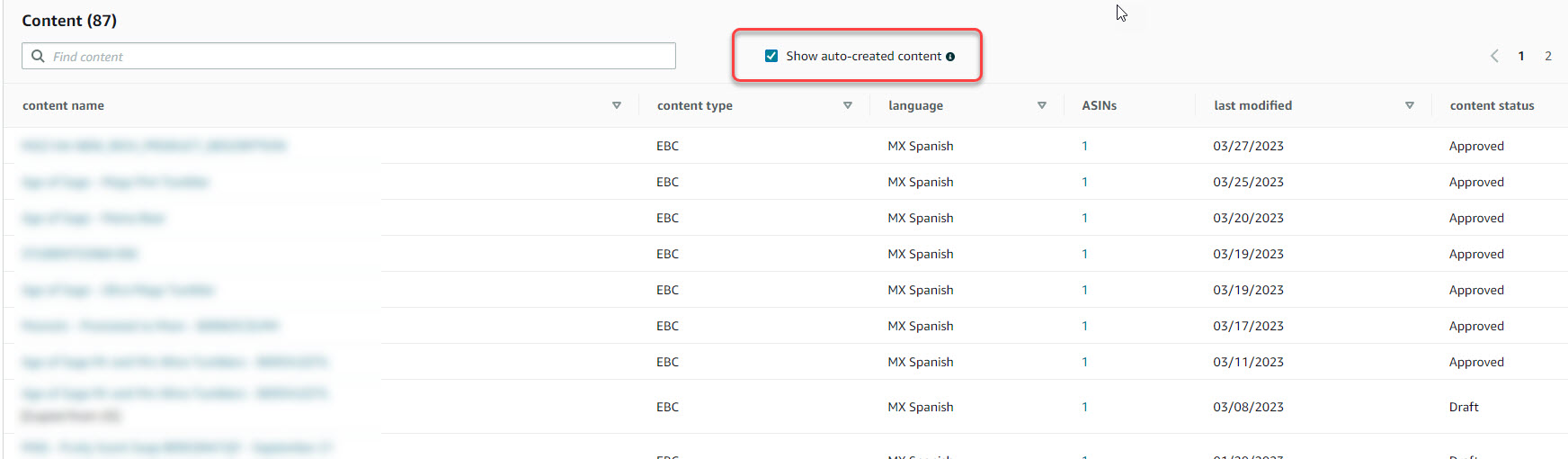
- You may now select the A+ content where the ASIN will be applied.
- You may also follow this SOP: Add ASINs to Brand Store, Brand Story, and A+ Content

- You may also follow this SOP: Add ASINs to Brand Store, Brand Story, and A+ Content
- If in case the duplicate A+ content is still not listed, you will need to re-create the content.
- You may also follow this SOP: A+Content Design

